
Here are some of the top five traps I find people fall into when they try to increase their productivity. Most of them aren't bad things in and of themselves. However, if they become your focus, you can be sure you aren't going to be getting the benefits you are striving for. Buy (yet more) software to make you more productive Software needs to enable your system. Just buying a piece of software won't make you any more productive. Sometimes when you buy software you are also buying the system and procedure that comes with it. This isn't bad, but if you don't understand that the real thing of value is the system you are setting yourself up for disappointment. I know people whose … [Read more...] about Top 5 Worst Productivity Ideas
Productivity
Paradox of Powerful Tools

I once worked with an organization that was using two different word processors. They had an old mainframe system with an integrated office suite that been in use for years. The mainframe was accessible from dumb terminals as well as from the newly added PCs. As they added PC's, more and more employees began switching to Microsoft Word. Word was a much more powerful system than the mainframe word processor. The mainframe only offered basic formatting (bold, italics, and underline), a single mono-spaced font, and a few other features like tabs and the ability to center a line of text. It seemed obvious that individuals using Word would be much more productive than those who used the … [Read more...] about Paradox of Powerful Tools
More Efficient Emails

When working with businesses, one problem I see over and over again is people who don't know how to write an efficient email. For example, I was helping a business put processes into place to streamline their help desk. Some of the requests that were coming into the tracking system just boggled my mind. My English 101 classes years ago spent a lot of time explaining that authors need to think about the reader. It doesn't matter what you write--it matters how the reader understands what you write. Unfortunately, people forget this when writing emails. Here are some of the emails I've seen (with names changed to protect the innocent and guilty parties): My computer doesn't work. … [Read more...] about More Efficient Emails
Time Discounting

There is a psychological phenomenon known as time discounting. Basically, it means that a desired result in the future is perceived as less valuable than one in the present. For example, if you allow people to choose from being paid an amount in one year as opposed to being paid a smaller amount now, they will settle for a much smaller payment right now than they will in the future. There has been some research done on this and scientists found that a $100 payment in 12 months is just as attractive as $68 right now for the average person. This means that on average, people will discount the value of a gain made in one year by 32% over how they would value the gain made … [Read more...] about Time Discounting
Apple’s Patent on Destroying Productivity

Apple has a patent for displaying ads in an operating system. Basically, ads would pop up and prevent you from doing work every once in awhile. The patent shows a mechanism where the ads could be delayed for 10 minutes or you could view one immediately so it won't interrupt you for a bit longer. What do you think? Are people so accustomed to being interrupted during work that they would accept something like this? … [Read more...] about Apple’s Patent on Destroying Productivity
Improve Your Focus

One of the most important skills you can develop is the ability to focus. Anything you can do to improve your focus is going to make you more successful. Any non-trivial task requires focus and attention if you want to reach any level of productivity. When you aren't focused, tasks take significantly longer, are prone to mistakes and in some cases progress is impossible. Multi-tasking Myth The multi-tasking myth has done more to destroy our ability to focus than just about anything. People consider multi-tasking to be something they are proud of. After all, computers multi-task right? It turns out that humans are amazingly horrible at multi-tasking. Many people feel like they are … [Read more...] about Improve Your Focus
Productivity – What is it?

What is productivity? Productivity is simply the amount of output you get per unit of input. It is a way to compare the cost of something to its benefit. So if you have an input of 5 and output of 5, your productivity is lower than something with an input of 5 and an output of 10. Productivity is kind of like the miles per gallon on your car. It tells you how far you can go on a given amount of input (gasoline for your car). In this article, we are going to look at productivity from your boss' perspective and then talk about personal productivity. Employee Productivity In mathematical terms, productivity is output divided by effort. So if O = output, I = input then P = … [Read more...] about Productivity – What is it?
Interview: Productivity Tool

In our interview series we asked a number of people the following: What do you feel is your most important productivity tool?(1532) The metaphorical axe - no bit of software or technology would help me if I didn't know how to constantly remove anything from my life that is getting in the way of living in a balanced and productive manner. Joel Falconer (rss) The word "No". I am getting really good at establishing boundaries and saying "No". "No" is probably THE most difficult thing for anyone, like me, who is interested in everything, loves talking with people, and has no internal time clock. I love generating ideas and options. I truly do not naturally like to say no to … [Read more...] about Interview: Productivity Tool
Optimal Sleep

Sleeping is something we don't usually think much about, but if you could do something to convert just 90 minutes of each day from sleep time into productive time, that would give you an extra 10 hours each week. Steve Pavlina discovered that he could reduce the amount of sleep he required by an average of 90 minutes each day by getting up at 5 am 7 days per week. He only goes to bed when he is tired enough that he will immediately fall asleep. You can find more about his experience here and here. Polyphasic sleep is a drastic method of changing your sleeping schedule. Basically, you try to train your body to enter deep sleep immediately by taking a 20 to 30 minute nap every 4 hours. … [Read more...] about Optimal Sleep
Sunlight to Reset your Internal Clock

If you ever find yourself having trouble sleeping at night and feeling tired during the day, don't forget that your internal clock is set based on sunlight. Getting even just 15 minutes of direct sunlight every day can do a lot to help reset your internal clock if you are coming from another timezone or have just messed your schedule up by working a bunch of late nights. Sunlight can also help you when you are feeling tired. It is amazing how much you can improve a sluggish afternoon just by opening the blinds and getting some direct sunlight into the room or taking a 10 minute walk outside in the light. I'm not sure if sunlight works best because of the spectrum or if it is just … [Read more...] about Sunlight to Reset your Internal Clock
Productive Blogger: Promotion vs. Production

Most bloggers have the idea that blogging is 97% writing and 3% promotion. This view places way to much emphasis on writing. It isn't that writing isn't important, but if you write 5 posts per week that no one knows about as opposed to writing 1 post per week that get spread around the web, which do you think will be more effective? Network With Peers There are a bunch of ways to promote your content. Getting on the front page of Digg or Delicious is great, but you will probably have better results over the long term by focusing on good old fashion networking. You need to meet other people in your niche. Subscribe to their blogs, comment on their posts and email them offers to … [Read more...] about Productive Blogger: Promotion vs. Production
Interview: Home Office

Despite the popular misconception that working from home is simple, creating an effective work environment in your own home can be quite a challenge. Dealing with interruptions and distractions is something that every job holder faces, but for the home worker, these distractions are often more abundant and become very detrimental to productivity. We asked experts for advice on the following topic: What is your best piece of advice for creating an effective work environment in your home office? The single most important productivity strategy is equipping the home office to facilitate the work. Today, in fact, a (used!) Steelcase desk system is being delivered here. The U-shaped work … [Read more...] about Interview: Home Office
Reducing Expenses vs. Being Productive

We usually think of being more productive as a way to make more money, or at least make the same amount of money with less effort. This is a short sighted approach. Being more productive really means doing things that will give you more time to pursue the things that are really important to you. If I am able to maintain my same level of pay and cut my work time in half, I've made some pretty significant improvements in my productivity. But what if, instead of maintaining the same level of pay, we just try to maintain the same standard of living. Or better yet, just maintain the same standard of living on things that are important to us. This type of thinking suddenly opens up … [Read more...] about Reducing Expenses vs. Being Productive
Interview: Areas to Stay Low Tech

Everyone uses technology, but I thought it would be interesting to see in what areas people have decided they are better off avoiding technology. So we asked a bunch of bloggers: Are there areas where you have decided it works better to go low tech? (3593) Personally, I have found that I prefer a mechanical watch. I think there is something about having to set it and make sure it is wound that makes me more aware of time and how I spend it. An old-fashion book is still better than an MP3 or a PDF. There's just something inexplainable about holding a good, hard-cover book in your hand. It feels more important. It feels like there's actual knowledge contained within. And … [Read more...] about Interview: Areas to Stay Low Tech
Productive Finances Checklist

Here is a checklist for your financial productivity. Most of these things seem minor, but taken together, they really add up and can make a big difference in how efficiently you are using your time and money. Are you using direct deposit for your paychecks? -- If you are still manually carrying a check to the bank or putting it in the mail, stop! Direct deposit will get your money to the bank faster so you start earning interest as soon as possible. Even if it only saves you 5 minutes every two weeks, that is an extra 2 hours each year you can spend on something more important. Is your money in the bank earning at least 4% interest? -- If not, look for a different account. There … [Read more...] about Productive Finances Checklist
Interview: Productive Time of Day

We interviewed a number of people and asked: What time of day do you feel you are most productive and why? (198) Here are their answers. What about you? Leave your thoughts in the comments. I feel most productive in late morning and early afternoon. My energy peaks at this time of day, and I have found I am able to focus more on important tasks. I am not a morning person, so usually I end up going around in circles or repeating something- basically, wasting my time. Late afternoon, beginning around 3, I begin to get sluggish and often need a nap! It is important to know when your energy level is at its highest and when you are least distractable. That is when you should … [Read more...] about Interview: Productive Time of Day
Cost vs. Benefit for Productivity

Most people are really bad at comparing cost and benefits. Hybrid cars are a good example of this. For example, the cost of the cheapest (that I could find) new gasoline Honda Civic is around $14,800. The cost of the cheapest hybrid Civic is $22,000. Assuming that you drive 13,000 miles per year, the hybrid will save you $369 per year in gas--assuming gasoline costs an average of $2.80 per gallon. So you are paying an extra $7200 to save $369 per year. It will take nearly 20 years before you end up saving money with the car. Even if you consider that the government will give you something like an extra $2,100 off your taxes for buying the hybrid, it will still take nearly 14 years … [Read more...] about Cost vs. Benefit for Productivity
SmartShopper Grocery List Organizer Review
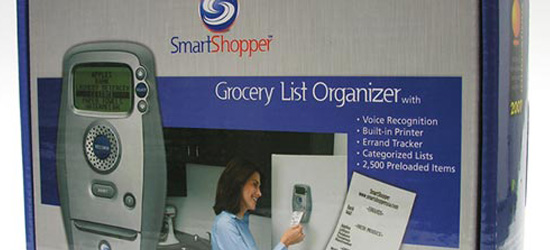
Many times I've wondered about ways to keep a centrally located, well organized grocery and errand list. Members of my family have a tendency to "borrow" the list to add something, only to forget to put the list back. Though a pen and paper are often the best and most efficient way to keep track of a to-do list, some families might need something a bit more creative. When I was handed the Grocery List Organizer to review, I was a bit apprehensive as to how well the device would actually function. Fortunately, I have been pleasantly surprised. Appearance The Organizer is an oblong-shaped device with a small screen located at the top, a large "Record" button in the middle and a … [Read more...] about SmartShopper Grocery List Organizer Review
Interview: Technology Investments

We interviewed a number of bloggers and asked: How do you decide if a new technology is worth investing in or whether it is a waste of time? (692) Here are their answers. I was impressed with how many people have a framework or set of questions they use to decide if something is really valuable to them or not. If I'm not sure, I wait. I'm not an early adopter and I'm pretty frugal with my money, too. A product has to prove itself before I'll buy it. Trent Hamm from The Simple Dollar (rss) If a product doesn't have a collection of Amazon reviews, I figure it is probably too soon to know how well it works. I like to evaluate technology before I invest in it. For example, if … [Read more...] about Interview: Technology Investments
Personal Productivity from Management Theory – Ouchi

This is the fourth of a four part series examining management theories and how they can help us understand our own personal productivity. William Ouchi was born in 1943 and raised in Honolulu. He earned his Ph.D from the University of Chicago and is currently on faculty at the University of California. Ouchi studied the different work cultures of America and Japan. In America, he found the "Cowboy" culture, where people are rewarded for their individual efforts and employees are acting out of what is good for themselves in the short term. Americans tend to value people who are mavericks and accomplish stuff even if they work against the "system" to do so. In America, it is common … [Read more...] about Personal Productivity from Management Theory – Ouchi
Personal Productivity from Management Theory – McGregor

This is the third in a four part series examining the relationship between management theories and personal productivity. Douglas McGregor lived from 1906 to 1964 and was a professor at MIT. Four years before his death, he published his theory on management, which is known as theory X and theory Y. Theory X is that employees are lazy and don't want to work. Under this theory, managers must create very structured environments in order for work to get done. They don't trust the employees and often see themselves in competition with them. This leads to managers who run their business as a dictatorship. Theory Y is a different way for managers to look at their employees. It is … [Read more...] about Personal Productivity from Management Theory – McGregor
Personal Productivity from Management Theory – Maslow

This is the second of a four part series examining how management theory can be applied to help improve one's personal productivity. Abraham Maslow lived from 1908 to 1970. He started studying Law in New York, but soon transferred to University of Wisconsin where he switched to psychology and earned a Ph.D by 1934. Maslow developed a theory known as the hierarchy of human needs. This hierarchy is usually represented as a pyramid. On the bottom are needs such as food and shelter--the basic needs of the human body. At the top of the pyramid are the categories of esteem with self actualization (reaching your potential) at the top. Here is a representation of the … [Read more...] about Personal Productivity from Management Theory – Maslow
Personal Productivity from Management Theory

This is the introduction to a four-part series that will explore three management theories and how they relate to personal productivity. This may seem odd, but if management is the art of accomplishing work through other people, then personal productivity can be seen as being effective at managing yourself. By examining the methods of motivating others, we can become more skilled in motivating ourselves. Here are the three theorists we are going to look at: Abraham Maslow - Hierarchy of Human Needs Douglas McGregor - Theory X and Theory Y William Ouchi - Theory Z (Cultural Management) Most people will be familiar with Maslow's theories. McGregor is less well known. Most of … [Read more...] about Personal Productivity from Management Theory
Take the Time to Play

I have a theory. Since I will probably never have the resources to try to prove it, the next best thing is to share it with readers and see what type of feedback I get. My theory is this: There is a direct relationship between your maximum creative output and the amount and quality of time you spend doing non-work activities. The idea is that you will never reach your full potential for efficiency and productivity without significant investments in non-work, fun activities. If all your time is spent working, you will accomplish less than if you leave some time to relax and pursue recreational activities. I think this only holds true for creative-type work. If you are simply … [Read more...] about Take the Time to Play
Iron Chef – A Productivity Fable

Tortoise and Hare were both known for their culinary expertise and were invited to a face-off in the Iron Chef. Soon after the competition began, it was clear that the Hare was significantly ahead of the Tortoise. The audience was amazed at the speed with which Hare mixed ingredients, poured them into another container and tossed the mixing bowl aside to move on to the next step in preparation. Tortoise, on the other hand, seemed to be well behind. It wasn't that he was going slower than Hare, but the audience agonizingly watched as he carefully cleaned each bowl, pan and utensil and put them back in their place after use. Tortoise was making progress, but was well behind the Hare in … [Read more...] about Iron Chef – A Productivity Fable
Hawthorne Effect

The Hawthorne effect refers to some studies that were done on how training impacts employees' productivity at work (edit: this statement is a little misleading, please see the note at the bottom of the article). The studies found that sending someone to training produces employees that work harder. The funny part about it is that you still get the productivity increase even if the training doesn't teach them how to be better at their jobs. Sending someone to training helps them feel like they are important, like the company is investing in them and they are valuable. Because of this, they work harder. Obviously, if you send them to training that helps them do their jobs better, you … [Read more...] about Hawthorne Effect
Nine Ways to Devastate Productivity

We talk a lot here about how to increase your productivity, get more done, and be more effective. But what if that isn't your goal? What if you really just want to completely obliterate the productivity of your co-worker? In this unusual post, we are going to look at nine ways to wreak havoc on someone's ability to get work done. Of course, none of the readers of this blog are that evil. Anyway, for the vast majority of our readers, I figured this list would provide some useful thoughts on how to spot people who are wasting your time. And who knows. It might be useful someday if you decide to let your Dark Side take over for a while. Here are the nine tips (if you can call them … [Read more...] about Nine Ways to Devastate Productivity
Cutting Out Distractions

I once heard a story about an author who had designed a house especially to be used for writing. The house was built on a mountain and had an impressive view of the valley and mountains beyond. The author had designed an office especially for writing. It had large windows overlooking the gorgeous view. Facing the windows was an expansive desk where the author planned to write many books. However, there was just one problem. After moving into the house, the author discovered that he couldn't get any work done. He would sit at his desk overlooking the gorgeous view, but he just couldn't concentrate. It turned out that the view wasn't inspiring him. It was just a … [Read more...] about Cutting Out Distractions
NomaDesk Review

Recently at Productivity 501, we have taken a look at several different tools intended for file sharing. All of these products shared the attribute of being available for both business and personal use, although some were better suited to one than the other. One additional file sharing tool that came to our attention is NomaDesk, the flagship product of the Belgian start-up Aventiv. Thought most file sharing software is developed with the average businessperson's needs in mind, NomaDesk was created specifically for someone who is constantly "on the run." Those that work from many different locations and from laptop computers know precisely what the challenges are for mobile … [Read more...] about NomaDesk Review
Personal Development: Reading Habits

Most people are not suffering from a lack of things to read. For many people the difficulty is deciding what not to read as there are so many choices available. To get some ideas how people prioritize and choose reading materials, we asked a number of bloggers the following question: What are your reading habits and how do you choose reading material when there are so many options? Here are their answers. (4005) I come across a website through some means or another, and if I like it, it goes in my feed reader. If it hasn't got a feed, I'll probably never come back. But the bulk of my reading is books, and my choices are usually informed by recommendations from friends or … [Read more...] about Personal Development: Reading Habits
Measure and Notice your Progress

You can only improve what you notice and you can only notice what you measure. If you want to improve some area of your life or work, you have to be able to measure it. Without some way to gauge your progress, you won't know if you are making improvement or not. For example, when I was running the technical department at a large non-profit corporation, I started measuring our response time for help desk tickets. This was quantifiable data, and by looking at the trends over time, we were able to see if our response time was improving (going down) or getting worse (going up). Without measuring this, we would of had no objective way to measure our performance and we would have been … [Read more...] about Measure and Notice your Progress
Effective Web Browsing

Most people have a collection of sites that they like to check every few days. Unfortunately, checking a few sites can turn into several hours of pointless surfing without any real benefit. Here are some strategies that will let you maximize your productivity while using the web to stay up to date. Set aside time to visit your favorite sites. If you don't create space for it, you'll end up opening your browser everytime you are faced with a task that you want to procrastinate on. Avoid this by setting up a specific time. This can be in the morning before going to work, at lunch time, in the evening. It doesn't matter when it is, but set up a time and get into a schedule. Set a … [Read more...] about Effective Web Browsing
Don’t Repeat Yourself

In software engineering there is a principle known as DRY -- Don't Repeat Yourself. The idea is this: If you are going to solve a problem, do it only once. Don't solve the same problem again and again in different parts of your code. In software, this means that you take your solutions to these common problems and code them in a way so they can be used from wherever necessary. The DRY principle can also apply to your personal work habits as well. Over the course of a week, a good portion of our time can be taken up by unnecessary tasks or overly complicated processes. Proactively looking for areas where we are "repeating" ourselves can unearth these areas where we can … [Read more...] about Don’t Repeat Yourself
Your Own Business

In a previous post I mentioned that if you are the type of person who focuses on personal productivity, you probably shouldn't be working for someone else. I wanted to explain why. Many people focus on being highly productive, but no one seems to talk about how to actually benefit from being more productive. Sure you can make your boss really like you, but just because you are helping your employer be more efficient doesn't mean you are going to see any personal benefit--other than being well liked. How Businesses Make Money Businesses make money by selling items or services for more than it costs them to produce those items or services. The dry cleaner may charge you $2.00 per … [Read more...] about Your Own Business
5 Minute Outliner 2.0 Review

Sometimes compatibility issues between technological devices leave us scratching our heads and disheartened at the loss of productivity that results. One such frequent frustrate-or is programs for mobile devices. Few truly helpful organizational programs are available for use with a wide range of cell phones or PDA's. However, the developers at 5 Minute Downloads have created software that allows a user to effectively visualize and organize ideas, create outlines for projects, import information from a personal computer, and to top it all off, stay compatible with other team members in the work place and with their mobile devices. The product in question is the 5 Minute Outliner, which … [Read more...] about 5 Minute Outliner 2.0 Review
As a Child I was Conned

When I was in grade school, we talked about the future. We watched films about the huge technological advances that were just around the corner. I remember dreaming about the day we would have robots and devices to handle every mundane task in our lives. We would only spend our time on tasks that were either exceptionally important or remarkably enjoyable and fulfilling. Technology has made some very significant advances over the last 20 some years. We have miniature personal communication devices, powerful computers the size of a small book, video recorders that fit in your palm, a worldwide network that is virtually free to use, but I still feel like I was conned. Instead of … [Read more...] about As a Child I was Conned
Sleep and Damaged Cognitive Performance

In a society where success is often associated with long hours of work, some things that were never considered by previous generations of Americans are now becoming very prominent. One of these is time management. While working longer hours and weekends is something that most of us consider relatively normal, scientists have taken a look at the effects of sleep on cognitive ability. In the New York Magazine article "Snooze or Lose," researchers have discovered something rather alarming about the sleep patterns of adults and children, alike. Dr. Avi Sadeh of Tel Aviv University conducted a study on the effects of sleep deprivation in grade schoolers. In short, what he found was that a … [Read more...] about Sleep and Damaged Cognitive Performance
Is Stupidity Killing America’s Productivity?

When a society makes it a huge priority to protect people from their own stupidity, it will eventually grind to a slow, bureaucratic halt. I have to show my ID to buy Sudafed, spray paint or glue because someone has decided I might use these items to do something stupid. However, I can buy bullets without an ID. I was talking to a policeman the other day and discovered I could be thrown in jail for the amount of decongestant I had in my house. Seriously! When it comes to the safety of society as a whole, I'm much more concerned about a couple lunatics running around with an unlimited supply of bullets than teenagers armed with nasal decongestant and super glue. Yes, I know that … [Read more...] about Is Stupidity Killing America’s Productivity?
Virtual Assistance Companies

In light of the recent rise in popularity of virtual assistants, we thought that our readers would find a listing of virtual assistance providers to be useful. Executive Secretarial Services This company provides expert virtual assistance in paralegal matters, freelance office management and secretarial services. Kim Hughes and Company Kim Hughes and Company gives expert advice and assistance in real estate. They specialize in assisting real estate professionals attain their goals. Loose Ends Loose Ends is a VA company that provides a wide variety of services, a few of which are graphic design services, project management services and blog support services. Business … [Read more...] about Virtual Assistance Companies
Webnotes Review
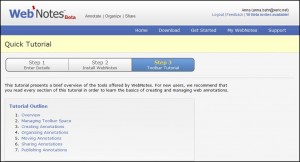
There are many jobs and tasks today that involve very extensive research and preparation. With the advent of the internet in recent times, the search for information for students, employees and those at the executive level is much simpler and more convenient than it was several decades ago. The internet has many advantages that we could discuss; however, it does have one shortcoming for those that are conducting extensive research. If the articles were on paper already, the researcher could easily jot down some notes directly on the paper, sharing his or her thoughts with colleagues and fellow students. It could be argued that the person could print the information from the web pages, … [Read more...] about Webnotes Review
SugarSync Review

Ever felt like you were tied down by carrying around too many gadgets? For those that use both Macs and PC's, transferring files across platforms can be time consuming or downright difficult, causing many to cart around two different machines to have access to both sets of files. However, the developers at SugarSync have come up with a better way of doing things. Staying connected There are a few programs out there that sync mobile devices with your computer. SugarSync not only does this, but also syncs files across the Mac and PC operating systems and automatically backs up those files to your own, personal SugarSync web site. This web site is secure, and allows the user to … [Read more...] about SugarSync Review
Redeeming Your Time

Whether you run a home business or simply want to be more productive with your time each day, time tracking tools are a technological aid that can diagnose tasks that are efficient and those that are not worth the time invested in them. The time tracking tools that are available today are customized to suite different needs and preferences and help make productivity an achievable goal. We thought that our readers would find a list of time tracking tools useful, as well as a bit of information about each one. Rescue Time This tool offers time tracking service in a neatly organized package that is easy to install and operate. Rescue Time works by tracking which applications the user … [Read more...] about Redeeming Your Time
Productivity and Values

The concept of being productive is meaningless without a good understanding of your values or what is important to you personally. Being productive isn't just a matter of being busy. It isn't a matter of doing a lot of things. Productivity is accomplishing important things. Many people try to get organized so they can do more, but really they are just trying to fit a bunch more unimportant things into their day. Until they define what is really important to them, just scheduling a bunch of tasks won't help them really accomplish more. Sometimes being productive doesn't mean doing more. In fact, sometimes it can mean doing fewer tasks each day. When these tasks are carefully … [Read more...] about Productivity and Values
Top 5 Time Savers

Yesterday we looked at my list of top 5 time wasters, so today it seemed appropriate to look at the top 5 time savers. It is hard to measure the value of something that saves you time, so these may seem fairly random. Your suggestions for top time savers are welcomed in the comment section below. Podcasts in the Car - I have a system that allows me to subscribe to podcasts, transfer them to an iPod that hooks directly to my car stereo (when I turn off the car the iPod is paused until I start it back up again), and delete podcasts once I've listened to them. This allows me to keep informed on many topics with very little effort on my part and very little wasted time. I generally go … [Read more...] about Top 5 Time Savers
Little by Little

Often one of the biggest road blocks to our personal growth is that we feel we can't take on a new project until we have vast amounts of free time. The reality is that we will probably never have a couple hours of free time each day. However, if we can set aside just 15 minutes each day to dedicate to doing something we've been putting off for a better period of our life, these small investments will add up and go a long ways toward achieving our goals. For example if you want to learn a foreign language, practice a neglected musical instrument, read through the works of Shakespeare, or any number of enriching activities you probably don't feel you have enough time to start. Most … [Read more...] about Little by Little
Productivity In Other Countries

My wife and I lived in Mexico for awhile. This post was a look at how people approach productivity differently in different countries. I am currently living in Mexico for a year. It is amazing how much our productivity is based on being familiar with our culture. It has taken a while to get into "the groove" of things here, but I'm finally getting to the point where I feel like I'm starting to be productive again. Here are a few things that are different in Mexico: Time - There is a different view of time here. In the USA if a bus says it is leaving at 9pm, you plan to be there by 8:45pm. Here in Mexico if the bus leaves around 10:30pm or 11pm it is considered to be leaving pretty … [Read more...] about Productivity In Other Countries
10 Steps Toward Safely Relying on Technology

I know many people who have easily lost a week of their valuable time because of a technology glitch. If you are willing to invest time and money on technology to make you more productive, you need to make sure you don't wipe out all of the productivity gains through an unexpected failure of your equipment. The following list covers 10 things you can do to minimize the impact of of Murphy's Law on your productivity: Expect things to go wrong. This seems simple, but most people are far too optimistic about technology. You need to assume that, at some point, your hard drive is going to crash, your cell phone will be stolen, your PDA will lose all of its information, etc. Now, maybe … [Read more...] about 10 Steps Toward Safely Relying on Technology
Worry vs. Problem-solving

There are some circumstances that you have no power to change. Worrying about these types of circumstances is pointless. On the other hand, you shouldn't give up looking for a solution just because you don't see an immediate solution. It is important to be able to differentiate between worry and productive problem-solving. Worry usually has the following characteristics: It involves repeating the same thoughts over and over. Any "solutions" deal with things that you don't have the power to change. It focuses on changing things that have already happened. Problem-solving on the other hand has the following characteristics: It doesn't involve thinking about the same thing … [Read more...] about Worry vs. Problem-solving
Dealing with Clutter

Everyone seems to have some degree of clutter in their lives. The paperless office is still a dream, so we still have to deal with many pieces of "stuff" all around us. This stuff can be paper, equipment, books, printouts, electronics, or any number of things. A certian amount of clutter may be productive. Some people just function better when things are in site. However when clutter gets to the point that it slows you down, you need to do something about it. If you find yourself spending time looking for things, that is a good indication that clutter is controlling you. Here are several tips for reducing clutter in your life: Open your mail over the trash can. This will help … [Read more...] about Dealing with Clutter
Focus for Results

Computers are a great tool, but they can tend to make it hard to focus when you are trying to do planning. I've heard it said that the people who get the most done spend the first half of their day planning and the second half executing the plan. However, when I'm sitting at my computer trying to do planning and research simultaneously, it is easy to get distracted--especially when I'm trying to research something on the web. I've found a simple solution for this. By sitting down with a paper and pen away from a computer, I can better focus on my plan. In many cases, my plan will involve answering several questions that require using the internet. If I can stay focused on my planning … [Read more...] about Focus for Results