With computers becoming even more central than ever in the information age, many people are looking for ways to “unclutter” their hard drives. Sometimes the default structure just isn’t quite enough to organize things quickly and efficiently. For those that favor web applications, there have been quite a few pieces of organizational software written for both Mac and PC. However, Yojimbo is written specifically for Mac users (there is no PC version).

Yojimbo offers a neat feature that lets the user store information quickly, without interrupting work flow. Once the software is installed, a tab appears on the left-hand side of the screen on the desktop. Some users may like this feature because of the convenience of having a dropbox right on the desktop.
For those that would like a program similar to Yojimbo, but for PC, Evernote is certainly worth a look. Yojimbo is the simpler of the two programs as far as logistics go. However, Evernote does offer more features, including OCR. Both programs can store PDFs, however, Evernote allows the user to search those PDFs.
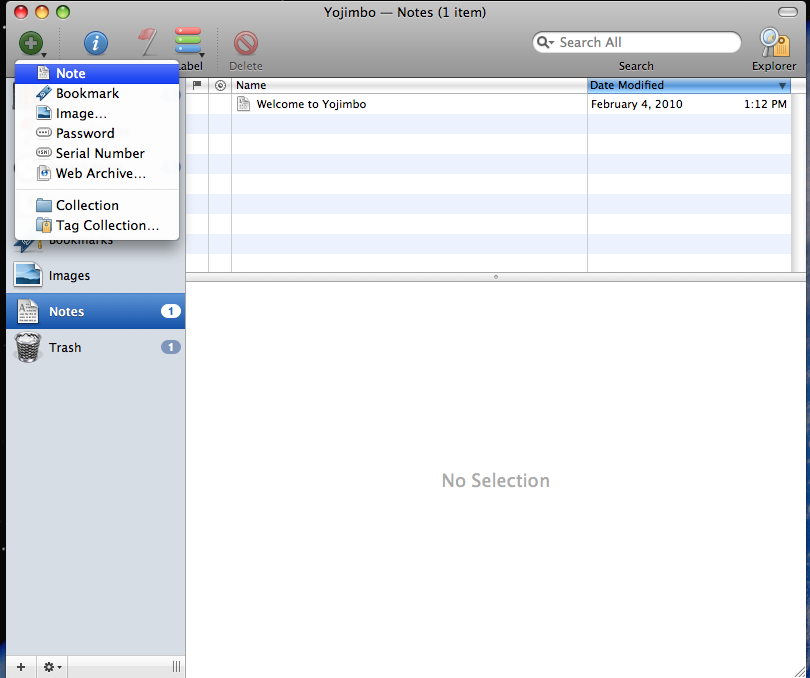
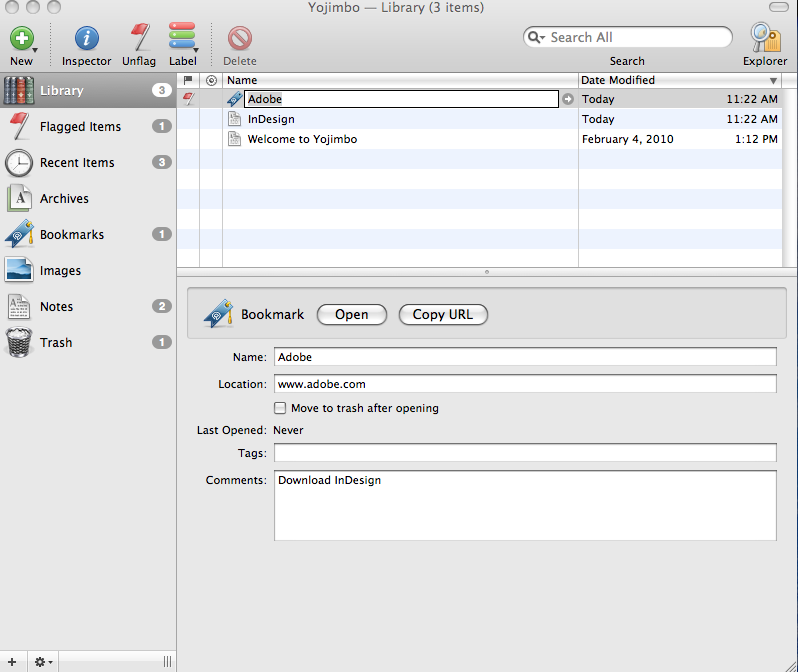
Yojimbo has several different default categories for storing your information. Users can create bookmarks, store images and type notes inside the program. If you want to see an overview of all the information you’ve put into Yojimbo, the Library category shows all of the documents that are stored in the program.
Tags
Because the simple categories aren’t always sufficient for organization, users can tag different documents in order to further classify them. If you plan to use this program extensively for keeping track of a project, this feature really does come in handy.
Notes
There really isn’t a whole lot to explain about the “Notes” feature. The user simply has to click the green “+” icon in the upper left hand corner of the program window and select “Note.” In fact, the whole program is simple to use, which is nice for new users.
Flags
For those that intend to use Yojimbo to help them organize tasks, the Flag feature is a convenient way to remind yourself of things that need to be accomplished. To flag an item, the user selects the item to be marked, then clicks the “flag” button at the top of the window. Again, the commands and interface are very easy to use.
Access
As far as I can tell, there are only two ways to access Yojimbo from a remote location. The product site says that Yojimbo can be accessed on other Macs through MobileMe. However, there is a product called “Webjimbo” that allows the user to access Yojimbo from the web or from an iPhone. The product does cost $30 to download, however.
Conclusion
Overall, Yojimbo seems to be very good at what it is intended to do. It helps the user organize information in an efficient and timely manner, and the user interface is very good. However, the product does cost a little bit ($39 for an individual version, $29 for educational), and Evernote is free. The main difference between the two programs is that (1) Yojimbo is made to be simple and user friendly, and so that it does not interrupt workflow. Evernote is more capable. It actually syncs to it’s own cloud-based web version and allows iPhone access without payment. (2) Yojimbo does cost a bit to use. Evernote is free, for the time being.
I’m a PC user so I miss out on this product but if it’s as good as Evernote, it’s great. I use Evernote for a vast collection of tips to remember as well as lecture notes. Nice review.
I use a Mac at home, a PC at work, and iPhone on-the-go. Evernote allows me to sync across all of these platforms, which for me is critical. I often store documents and other files that come in handy in unexpected moments, so this accessibility is fantastic. Also, Evernote’s tech support has been wonderfully responsive. Highly recommended!
Two tips about Yojimbo:
1. Yojimbo has a feature called Sidekick that lets you publish all (or specially-tagged) items to a website. The default is your Mac’s internal website, but if you set it to your Dropbox folder, you can access the items — as web pages — from any computer you have Dropbox set up on.
2. Evernote is free. Evernote Pro is not.
3. How easy is it to get data out of Evernote, in case you decide you don’t want to use it anymore? Yojimbo has easy export capabilities, and also apparently uses the sqlite3 database under the hood, which means that your data is always accessible. Yojimbo could stop working for you tomorrow, and Bare Bones could go out of business, but a little poking around in the Terminal would rescue all of your data. Something important to think about if you’re put a lot of data in there.
Yojimbo DOES search in pdfs. Just tried it.
Thanks for the update. Good to know.