I’ve talked before about how the paperless office is still a dream. As I look around my desk right now, I have stacks of paper requiring my attention in various places. We are halfway through 2007. Seriously, weren’t we supposed to have flying cars and robots to do the dishes and fold the clothes by now? A paperless office seems like it should be normal by now, but it isn’t.
One of the things that has hindered the adoption of paperless technologies is the fact that they concentrate on the “paperless office” instead of focusing on a “paperless workflow”. For example, if I have a paperless office that requires printing out incoming documents, signing them and then scanning them back in again, I have created more work for myself instead of less. A truly paperless office needs to provide some type of mechanism for dealing with these routine types of paper handling type tasks without creating more work.
I’m going to do an experiment and see just how paperless of an office I can create. I’ll keep the readers of Productivity501 updated on my progress and thoughts along the way. Hopefully the community will have some ideas to help steer me in the right direction. Here are the constraints:
- I’m willing to spend up to $1,000. I’m trying to avoid solutions that would be out of reach for a normal home office. $1,000 might be a little on the high side for most people, but with technology getting cheaper, it seems like a reasonable place to start.
- Must be convenient. I’m not willing to go paperless just for the sake of being paperless. It has to actually make my life easier. Just getting rid of storage space doesn’t make my life significantly easier. The retrieval and use of my documents must save me time.
- Doesn’t have to be fully paperless. In keeping with the idea that it must be convenient, I’m going to assume that a completely paperless office is impossible. So this experiment is more about trying to see if an investment in paperless technology is worthwhile.
- Reproducible by others. I make my living working with technology. This solution needs to be something that other people can realistically implement without a degree in computer science.
- OS X & Linux. I don’t have anything against Microsoft, but right now I don’t use a Windows based machine, so the solution needs to work with my existing equipment.
I have a certain amount of equipment already. Here is a list:
- Powerbook G4 17 inch. (plan to upgrade to MacBook Pro when the LED screens come out for 17 inch)
- 24 inch Dell monitor.
- Canon LiDE 70 Scanner
- 250 GB External Hard Drive
- Ubuntu Linux Desktop with 320GB hard drive.
- Sony Ebook Reader
- Blackberry 8700
- Deskjet 970 Cse Printer
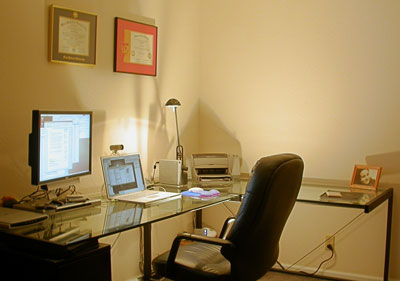
I’m looking for advice in this area so if anyone has any experience or suggestions for moving to a paperless office, please leave me a comment with suggestions or links to resources.
I’ve tried to achieve a paperless office with fairly good success. The one thing that I’ve found indispensable is a dedicated document scanner. The Fujitsu ScanSnap is the one I’ve been using for a few years now at both work and home. It’s been very reliable and is reasonably priced as well (if you count in the fact that you get a full version of Adobe Acrobat bundled with it). Another product that is useful is PDFill, a PDF editor that allows you to fill in any PDF forms that you chose. Good Luck with your endeavor.
@Kevin – Thanks for the input. The ScanSnap is the scanner I’ve been looking at getting. How do you keep your documents organized?
Hi,
first thing that came to my mind was the ScanSnap, but Kevin was faster ;-)
I own one of the very first scansnaps and have been using it with Parallels Desktop since I switched to a Macbook Pro – works but I’m looking forward to buying the Mac-Version of the S500.
I scan to PDF, not using the OCR-feature (yet). I got a certain convention for filenames (if you sent me a letter today it’s document-name would be “07-08-09 Shead Letter on Productivity.pdf”) and a flat folder hierarchy (i.e. “Archive / Shead, Marc”, “Archive / MacOS”, “Archive / Postfix”, “Archive / Customer”). I hardly ever spend time on search for documents, even before Spotlight.
I suppose for some people, tools like DevonThink Office that help archiving and retrieving documents are helpful. I tried Paperport when that was state-of-the-art many years ago but felt locked in, so I’ll stick with plain PDF, Text (i.e. saving mails within the file-system and not on the mailserver) and folders and would advice others to do so. I will scan using OCR once I got the new ScanSnap and I’m planning to try tagging my files using MacOS’ tagging feature.
Hope that helps
Tim
This should be fun. We’re also just starting something similar. We purchased the monstrous HP 8350 (the flatbed is a must) for the task.
I have no useful tips for you, as we’re just getting started ourselves, but we plan to move all paper management to a custom built application in the future.
Currently we’re going to use plain file system organization and see were that leads us.
This may not actually be helpful, but I’ve often wondered why I can’t digitally sign things with my Wacom tablet. Many big stores like Target and Publix allow me to sign for payment on a screen with a pen, why can’t I do the same thing with things that require signatures from home with a tablet?
I must add my vote for the ScanSnap. I have had it for several months, and have dumped most of my paper for this year (I am not going back to do old files). I figure in another 6 years I will be almost paper free. The software I am using to organize documents is ReceiptWallet and DocumentWallet, both by GGT Enterprises. Very nice. I am backing up both up with an external hard drive and .Mac. The ScanSnap is quick and efficient, and works seamlessly with the included Adobe Acrobat software. I have been extolling its virtues on every blog that is relevant.
I have the Canon LiDe60 and am very pleased with it and have heard great things about the LiDe 70, my only suggestion though is that if you think the volume of scans will be high, you may want to consider a scanner with an automatic feeder (which might mean having to buy a 3-in-1 or 4-in-1 to get a better quality product since most personal scanners are you get what you pay for).
I reccomend the scansnap as well. Also DevonThink Pro Office, to organize the scans from the Scansnap.
Another vote for the ScanSnap. I use it with DevonThink and it has changed my life. Though not completely paperless, my office is much more efficient and my paper filing cabinet is finally useful instead of being overstuffed.
One interesting note about going paperless, though, that is easily overlooked: the biggest trick is not just getting the necessary tools, but actually developing the habit of using them. It took me a good few weeks before I was instinctively sending paper to the ScanSnap instead of throwing it in the ‘to file’ basket.
Too bad you are ruling out anything Windows based. I’ve used a tablet PC for a couple of years now with amazing results. I have a centralized place for PIM management, note taking, document creation, mindmapping, etc. I love that I can mark up documents for my coworkers and email them right back without using a single sheet of paper.
Our office has an awesome Xerox Document Station that will scan documents to PDF and store them in a network folder. This makes digitizing project support materials a breeze. I literally carry two years of notes and documents with me everywhere I go. It has come in handy several times when I am out in the field and need
I also completed the first couple classes toward my MPA degree pretty much paperlessly (beyond the required texts). I probably couldn’t have done this without my tablet PC.
@Wes – I tried using tablets when they first came out and it just doesn’t work very well with my workflow. I think I type faster than the average person so the pen based interface really slowed me down. The character recognition was poor (or maybe it is just my handwriting) so it was difficult to create notes as searchable text.
Does your Xerox Document Station create searchable PDFs or are they just images? I’ve used a few high end printers that create PDFs, but none of them have made searchable PDFs.
I don’t think I could go paperless.
I need a notebook for my work (software developer).. Just somethings need to be worked out on paper. I used to use scrap, but now ever scribble, doodle, note goes into a notebook. When its done, I date it and put it on a book shelf.
As for files, I have a fairly organized file drawer. If I need to keep it, it goes in. Otherwise a shred. Scanning would be more work for me I believe. For bills, I’ve gone to electronic billing as much as possible.
I could try to go more paperless, but I think it would be less productive.
To me, going paperless isn’t an absolute goal. For some tasks, paper is ideal: conceptual work, journals, ubiquitous capture and the like. You’d limit your options to express yourself and even worse, you might channel your thinking to using just things and tools that are “digital”.
That being said, I readily admit that I do use digital tools if they meet the one criterion: using paper instead wouldn’t be a good idea. I don’t use a paper calendar because I prefer an alarm instead of me constantly looking at a watch – flow is precious! I don’t use a paper address book, because it’s hard to update and maintain.
Hi Mark:
Unfortunately, the documents are images and not OCRed. However, I use Adobe 7.0 Pro for OCRing. It would be nice to have a one-step solution, but I like the capture speed of the Document Centre and I can OCR multiple pages in one session, if necessary.
Have you tried a tablet PC recently? They’ve came a long way over the past couple of years and have finally started catching up with laptops in terms of power and cost. And I agree with you 100% that they are not for everyone. I’ve invested a lot of upfront time in developing my current workflow, but I reap the benefits every day and therefore think it was a wise decision.
The tablet PC returns the “organic” aspect to the paperless (or as I like to think of it–the less paper) office. I like marking documents up with digital ink. I love the ability to send my boss a copy of meeting notes in PDF format with a couple mouse clicks. I facilitated an idea “brainstorming” session a couple of weeks ago for about 10 particpants. Using my tablet PC and a projector, I made a digital flipchart to record everyone’s input. Several pages later, I was able to convert my writing into text, do a small amount of editing, and email it out to the participants in about 10 minutes. This is a good example of the way the tablet PC has revolutionized my workflow.
@Wes – I’ll have to find a newer tablet PC to play around with. My problem is that I type very fast and my handwriting is very poor–so trying to get a tablet to recognize my handwriting has been extremely painful in the past.
The idea of using it for markup sounds like it would be an improvement over the circle, squares and lines I can draw with my existing methods.
Thanks for the input.
Just a few thoughts on this document management issue:
What I’ve done so far:
1. Scan all documents I truly consider interesting (I do that with a network scanner in my office which is programmed to leave the tiff file in my network directory once scanned..VERI NICE FEATURE..)
2. Treat separately those documents whether they are for Information purposes or linked to a project
3. If they are For Info only (nice to have when researcing, interesting topics…) I just use a Folders Structure pretty straightforward. Spotlight just changed my life coming from the Windows world
4. If they are linked to a project I am just working, I attach the file to my projects and task system (now Omnifocus..) along with a quick note on main points. Considering using Journler if size gets too much of a problem
5. Very simple system, but very powerful right now. it takes some time of my weekly review, but I am happy. Now in the process of making it real speedy.
regards and thanks for your post
Completely going paperless will be hard, if not impossible.
I myself am migrating to a paperless office, and the most important item in here is your scanner. The canon LiDE70 is a great choice, and anyone looking to buy one should look at Canon.
Scanning has to be fast and painless, and organizing the documents is even more important.
Benefits of computerized document system:
– Searching
– No getting lost anymore
– Zoom and play with the files as you wish
Unless you organize the files properly, they’re just useless dumps on the hard drive.
I use Yep (www.yepthat.com) to stay paperless. It has integrated scanning support and great tagging features.
I still keep a paper archive though, which is one box with manila folders for each item or set of items. Sometimes holding paper for real is better for reading and working with. As you said, paperless life should be useful, not a hindrance.
For this reason, I keep documents physically that I HAVE to keep that way (like bills, legal documents, brochures, passport fotos and a lot more stuff that I can’t scan).
It’s a balancing act.
@Arjun – I have a LiDE70 and it is a great little scanner, but it isn’t really practical for a paperless office because you have to scan documents one at a time. Unless your quantity of paper is very very low, I think going paperless would be very painful with a flat bed scanner. I read about Yep several years ago, but had forgotten about it. Thanks for pointing it out to me. Does it search inside the text of a PDF or does it just search by tags?
@isi – Journler looks like an interesting piece of software. If you are looking at that, you might want to checkout DEVONThink as well. They seem similar, but Journler looks like it is more optimized for media and DEVONThink looks like it has a stronger search and retrieval engine.
Hi, my setup is snap scan & Imac and DocumentWallet and reciept wallet. It works really well. Hope this helps
kel
Commenter ‘verena’ suggested the Receiptwallet and Documentwallet from GGT Enterprises. [https://www.productivity501.com/paperless-office-experiment/330/#comment-2943]
I looked up the products on the GGT website and seems to be products which would be ‘just the thing’ for document organisation.
Having said, there would be many like me, who would ask if there were similar document management products for Windows. GGT are quite clear in stating that they do not have any plans to develop a windows version. Alas! :(
Any suggestions for alternatives for windows?
@RJ – You might take a look at the newest version of Acrobat. It offers some basic document management functions. Also I know a lot of people are using Paperport to keep track of their documents on Windows.
So have there been an updates on the Paperless Office Experiment? I’m considering doing something similar, so I’d like to hear how it’s going with you.
@Bob – Sorry I haven’t posted an update in a while. I’ve only had time to post some of my pre-written posts. I’m making progress on the paperless and I hope to post about it here soon.
Of course I would recommend DEVONthink Pro Office together with a Fujitsu ScanSnap. (Disclaimer: I am the President of DEVONtechnologies.)
@Eric – That is what I’ve used so far and it is working great–well it will be when the next update for OCR comes out so it can handle longer pages.
Please take a look at a new service that launched in July called Pixily, http://www.pixily.com. We offer different ways for consumers and small businesses to get organized and go paperless. Our most unique selling point is that we supply our customers with pre-paid envelopes so they can send their paper documents to us and we scan/upload them to their secure account.
Please let me know if you would like to try our service out.
Thanks,
– John
I’ve recently started going paperless in my home. So far my setup seems to be well integrated and *easy*. The devil is in the details and I hope to convey to you how nicely things work. I don’t want to make this a book by explaining why I do certain things a certain way, but my goal is smooth work flow with minimal hassle, like avoiding paper jams in the scanner.
GOALS
Create a paperless filing cabinet. I don’t want to manage every file on my computer. I want, you know, a filing cabinet.
Find documents! – by file name, date, “tags” , folder arrangement, text w/in documents.
Be able to access the computer files years later.
Save time.
Contol the piles of receipts. organize, categorize, add them up.
Hardware Setup
I’m not going to say this software / scanner is better than that, etc. This is just the setup I ended up with. However I will say I am unabashedly a Macintosh coolaide drinker since 1987.
iMac running 0S 10.5 (called leopard)
ScanSnap S510M
Yep – http://www.ironicsoftware.com/
ReceiptWallet – http://www.receiptwallet.com/
ScanHelper – http://www.receiptwallet.com/kb/entry/10/
My workflow
I scan receipts separate from all other documents. Receipts go into receipt wallet, all others are managed in Yep.
Using ScanHelper I select the application I want the scans to be directed to. ALL scanned documents are saved to the same “in box” folder on my hard drive (as set in Scansnap’s preferences), and ScanHelp “gives it to” the application I’ve selected.
Scan in receipts, hand feed one at a time. ReceiptWallet automatically launches if necessary and the receipt PDFs are queued up for processing in ReceptWallet. I don’t have to stop scanning for each one. ReceiptWallet tries to recognize things like total in the receipt and fills in data fields. It’s rare that I never have to do anything but click OK. But it’s quick in any case because when I type “walmart” it automatically fills in payment type and cagetory based on my other walmart receipts.
After receipts, I select Yep from a dropdown on the Mac’s menu bar (scanhelper) and start scanning docs one at a time. Again, I scan all docs in first. From the Yep screen I select the docs one at a time and enter file name, date, tags, and optionally drop it in a folder.
Key Points that make life easier
ScanSnap 500 series scanners scan both sides of the page simultaneously; and it’s *fast*. It’s smart enough to automatically discard blank pages and straighten croocked documents
I am not spending time physically organizing/moving the files in folders in finder (aka windows explorer in Windows). We’ll see what happens when that scanner in box folder gets 10,000 docs in it!
EVERYTHING is in pdf format. I’ve been around long enough to know what it’s like to try to open old documents. Even microsoft word quits supporting it’s old formats at some point.
I’ve settled on one combination of scanner settings that works for me 99% of the time. I do not want to mess with scanner settings every time I scan.
PDF format is native/integral to MAC OS X. This means I can take ANY document on my mac, and if I can print it I can save it as a PDF document. Adobe Acrobat not required. Further I can “print as PDF to… ” yep, receiptWallet, adobe reader, etc. This will get already-existing docs into my file cabinet system.
The application “preview” which comes with all macs understands PDFs. I can merge PDF docs, crop, delete pages, and even search and highlight text if the PDF was OCRed.
Mac OS X can search for text inside a document. (I believe windows Vista does this too) If the scanned PDFs have been OCRed, we can search for that text.
The file name & file date i enter in YEP changes the actual file name & date of the file. I.E. they’re not database fields that are accessable only when I’m in Yep. This means I can be searching for documents from the MAC OS. I’m not 100% dependent on a single piece of software to deal with my documents.
YEP will find all PDF documents anywhere on my hard drive, automatically. I can tell Yep to not look in certain folders, like the receiptWallet folder. That way I don’t have “duplicate” documents in Yep and ReceiptWallet.
A word about ScanSnap
ScanSnap 500 series comes with Adobe Acrobat and some OCR software – both PC and Mac versions. However I bought a referbished one. I saved around $150 but the referbished ScanSnap does not come with this software! Fortunately we Mac users don’t need Acrobat to get files into PDF. But I do need to get some OCR software.
@Robert – Your setup sounds similar to mine. You might check out DevonTHINK because it gives you OCR built in. I usually have my assistant scan the files and then a mass OCR them using Acrobat Professional and then move them in to DevonTHINK. (I’m still using this even thought DevonTHINK can now do the OCR.)
The big advantage of DevonTHINK is the automatic categorization. It will put things in the proper folder almost automatically.
Go and start using GoogleApps. It worked well for my company without costing us money for the hardware, software and IT staff. It’s so easy to migrate and start using! We had everything in GoogleApps from emails, shared calendars, documents, spreadsheet, presentations, websites and even chats. Try it!
It looks like some of the issues you are encountering when you file could be solved by using software to keep track of your files. You can try The Paper Tiger Filling system to help you better keep track of your files. Give it a try! We are BBB A-Rated business and are always looking for ways to help people file!
Hey Kevin, It is now almost October 2010 and I think we are finally moving towards that paperless office. I often read articles now where, small to medium sized businesses actually restrict or limit access to printers. I also, as you will know, see the increase in the e books and electronic newspapers. We also have electronic paper that is reusable and bends just like paper. I have a printer for my home office, however, it is packed away and rarely used unless I need to scan documents into my computer. I guess it is now over to the corporate business, legal and medical segments to look at reducing their paper usage.
Yes fast forward to October 2010. I am working in a paperless environment and my desk is now cluttered with plants and trinkets instead of paper files. I have back up discs everywhere and my weekly challenge is to file the discs in some order should I need to review them again. It can be done in a large or small environment with some planning and transitional period.
This is not difficult to achieve. Remove printers. Simple. The amount of times I printed correspondence, only for it to end up in the shredder after I read it is disgusting. Now I read on line. In fact I cannot read paper documents.
I am looking for tools that will enable me to:
# 1) instantaneously capture all of my information into 1 basket, including:
— three e-mail in-boxes
— voice mail from two phones
— mail, notes, paper
— business cards, receipts
— dictated notes
— online research, webpages
# 2) quickly and efficiently process my information
— eliminate
–visualize
–automate
— delegate
— file for action
–file for reference
#3) instantaneously retrieve my information from a secure, reliable, cloud-based storage system
After dedicating weeks researching product reviews and comparisons, I considered scanning and directing all my information into Drop Office and Evernote. I anticipated using Memonic for clipping; SpringPad for sorting and acting on everything non-business; and Mind Manager for its mind-mapping and visualizing capabilities. I’ve also seriously considered DevonThink Pro-Office for its promise. The feedback and reviews for all of the above referenced products tell a very different story. Bugs; crashes; losing information; slowing down the Internet connection speeds and apps; failing to install; failing to run; failing to sync; failing to export; artificial intelligence not working; etc.
I am seeking feedback from informed persons with experience with DevonThink and the other above-reference products that will give me insights helpful in narrowing my decision making process. I don’t want 5 levels of time- or product- based archiving. I do want to have as close to a “paperless office” as possible. Any suggestions?