OS X Mail has a neat little feature that lets you “bounce” an email back to the sender, making it look like your email address doesn’t exist. This isn’t particularly useful for dealing with automated spam because most spam is sent from fake addresses anyway. However, it can be very useful to deal with emails from people who you don’t want to have contacting you or who insist on sending you jokes and hoax warnings all the time.
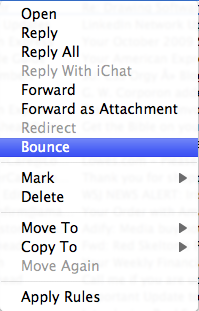
To use this feature, simply control click on the offending email and click “bounce” on the popup menu.
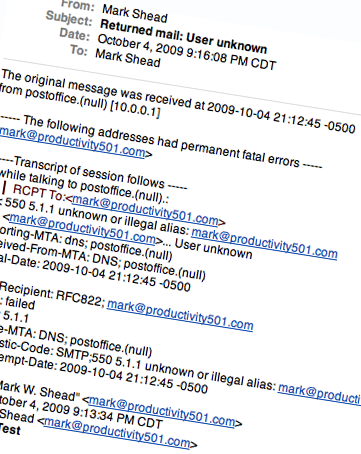
They will get a message back that looks as if it came from your server saying that your email address doesn’t exist, like the image you see below.
Wow, my Mac keeps getting better!