Interview: Productive Time of Day
July 2, 2009
We interviewed a number of people and asked:
What time of day do you feel you are most productive and why? (198) Here are their answers. What about you? Leave your thoughts in the comments.
I feel most productive in late morning and early afternoon. My energy peaks at this time of day, and I have found I am able to focus more on important tasks. I am not a morning person, so usually I end up going around in circles or repeating something- basically, wasting my time. Late afternoon, beginning around 3, I begin to get sluggish and often need a nap! It is important to know when your energy level is at its highest and when you are least distractable. That is when you should schedule your top priorities for the day. That way, the task is more likely to be finished.
Rebecca from Life Lists
Morning. I’m well rested, my head is clear and I’m full of coffee!
Mid-morning to early afternoon. I’ve tried being productive early in the morning, and sometimes I’m able to, but most of the time I can’t wake up my mind enough to tackle complex projects early in the morning. Between the hours of 10 a.m. and 3 p.m. are usually when I do the most of my paper writing and other thought-intensive work.
I usually schedule all my reading and research for the evening hours. It helps that I have figured out what times of day I work best in, so I don’t even waste my time trying to write after 3.
Too early and I can’t wake up my mind enough to focus, and any later than 3 and my mind is too tired to focus. My sweet spot is late morning-early afternoon.
I think different people have different habits. I have worked nights for years but I still feel that an early morning riser is more productive then a night crawler. Thats because the sleep which you get at night is most useful for the body and it provides you with a new energy to work every morning.
I’m most productive in the morning between a run and the first time I check email (which is usually after 11:30). I usually don’t take or schedule calls until after lunch either, so I can instead focus on thought-intensive or otherwise important tasks all morning.
Jared Goralnick from Technotheory (rss)
I’m most productive in the morning, because I’m refreshed! When I have a client appointment to go to in the afternoon, I’m even more productive because of the adrenaline I get from knowing I have to be somewhere later.
Ariane Benefit from Neat & Simple Living
If I am passionate about what I am doing or what I’m trying to accomplish, any time of day is good. The key is being well rested. When well rested, it is easier, even natural, to get passionate about stuff. If I am tired, even the most compelling things won’t capture my imagination.
Fred Gratzon from The Lazy Way to SUccess
Definitely early in the morning. During this time, I have the most energy and am looking forward to what all I will get done during that day, and it’s also the time with the fewest distractions.
Charlie Gilkey from Productive Flourishing (rss)
Mid-afternoon to early evening. I find that I’m only good for rote work first thing in the morning. Too bad my research doesn’t require a lot of rote work! But come 2 p.m. or so, I’m ready to so some serious thinking. I peter off again around 9 p.m., although I’ve been known to work later if coding.
I think I’m just groggy after sleeping. By the time the afternoon rolls around, I’m annoyed at myself for not working harder, and am just generally able to focus better.
GTD Wannabe from GTD Wannabe (rss)
Anywhere between 9pm and 2am. It’s shocking, really, especially considering I’m rudely awoken by an energetic two year old at disgusting hours of the morning, but that’s when I’m most productive, so that’s when I typically work!
Why? I have no idea. Maybe something to do with being a musician.
http://www.joelfalconer.com from Joel Falconer (rss)
I am most productive early in the morning. Its more peaceful and free from the usual interruptions of the working day. I work on my high priority tasks during this time as i feel more refreshed early in the morning. By getting a good start on more pressing tasks i also find i can get a head start on the next days work.
Grace Smith from Postscript5 | Freelance Web Design
I’m definitely a night owl. I typically get the most done in the evening. I think it’s when I’m most alert and focused. Plus, I don’t have to deal with the distractions of phone calls and people in the office. Evening hours are usually distraction-free and available for prime productivity.
Andrew Flusche from Legal Andrew (rss)
I’m usually the most productive later in the day and in to the night. There’s typically a greater sense of urgency later in the day that almost forces me to focus. I also find that I’m more creative and open to new ideas at night.
John from Fiscal Musings (rss)
I feel most productive in the early mornings because the rest of the world isn’t around to bother me. It’s the time that has the least amount of distractions.
I am in my most creative mindset between 12am and 3am. I am the most productive after I take a shower in the morning. I’m not sure why, heh. Probably because I use the shower to think, so once I’m out, I’m ready to execute.
Nathan Snell from The Technopian (rss)
Between 5am and 7am
Ever since I started to rise early I discovered that these are golden hours. It’s because:
- I’m the only one awake in the house
- I’m not bothered by any troubles of the day yet
- I’m on caffeine vs. on alcohol (morning vs. evening). But even without the caffeine this time rocks!
Between 3pm and 5pm
Not sure why, but these are golden hours for me as far as writing is concerned.
Lodewijk van den Broek from How to be an Original (rss)
I’m a morning person. 4am to 6am is my most productive time. After 5pm… forget it!
John Richardson from Success Begins Today (rss)
10 Cell Phone Tips
July 1, 2009
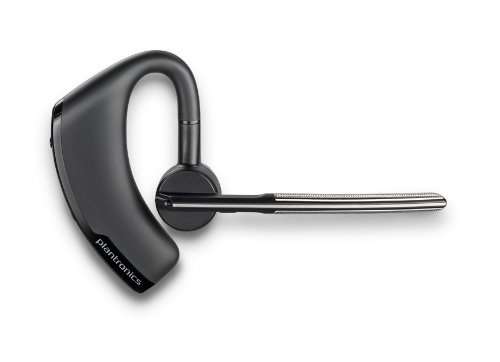
Cell phones are playing an increasingly important part in most people’s lives. Here are 10 things to consider when you get ready to upgrade phones.
1. Connectivity
Does the phone connect well with your computer and other devices? Some phones have bluetooth and can keep your address book synchronized every time you come near your computer. Others require a USB connection. Some only have synchronization software that works with particular operating systems. Make sure you know that the device will connect with the things that are important to you before you buy it.
2. Email
People are using their phones for email more and more. Make sure you understand not only what the device is capable of, but also what type of data plan you will need to get it to work. The ideal setup is having full syncing for contacts, calendars and email over the wireless network. If this is set up right, you should be able to add a contact to your desktop computer and pull it up on your phone within a few minutes without needing to do anything else.
3. Battery Life
My Blackberry will last two or three days on a single charge. Many phones will only last 12 to 18 hours. Make sure you get a phone that has battery life that is compatible with your usage patterns. A phone is only useful if it has power, and if you may only have a chance to charge it every other day, make sure you get a phone that isn’t going to be constantly going dead on you.
4. Network and Bands
Different areas use different types of cellular technology that aren’t always compatible. For example, it used to be very difficult to get GSM coverage in rural America. This has gotten a lot better over the last few years, but it is still a big issue if you travel internationally. There are many areas where CDMA just won’t work. Some phones are designed to work on many different systems (more on this later).
5. International Usage
If you plan to use a phone internationally, make sure you understand where it will work, where it won’t and what types of plans are available. If you do extensive traveling, it might be cost effective to get a SIM card at your destination. Make sure your phone supports using a SIM card from a different cell phone company. Some of the international phones will let you add a SIM card (GSM technology) even though they are sold from a CDMA carrier in the US.
Be sure you understand how the data plans work internationally. I’ve heard many horror stories about people coming back with thousands of dollars in cell phone charges because they checked their email overseas. In my experience, Blackberry is one of the few phones where you can get a flat rate on international data usage.
6. Keyboard
If you plan to use your phone for responding to email or typing SMS messages, make sure they keyboard is easy to use. I’ve tried a number of different keyboards and have given up on using anything other than a full QWERTY layout. I know there are people who can type 40 WPM using a regular numeric pad, so you may be fine with a different type of keyboard. Just make sure the keyboard supports the way you want to use your phone.
7. Airplane Mode
If you spend a lot of time in a plane, it might be worth getting a phone that you can use with the wireless turned off. This is useful on planes so you can answer emails, play games, look up contacts, etc. in an “offline” mode.
8. Software
It is worth considering the software that is available for your phone. The iPhone has a very extensive app store with all kinds of different programs. Blackberry has recently released an app store as well. It may be worth browsing some of the offerings before deciding on a phone so you’ll have an idea of what third party programs might be useful to you.
9. Standard Charger
It is much easier to keep your phone charged if it uses the same charger as some of your other devices. The standard seems to be converging on a USB connection. However, some phones use a standard USB connection, but will only work with specific brand chargers. The Razr V3 is like this. If you try to charge it from a standard USB cable, it won’t work. (There is some software for the Mac that works around this, but it is still a pain.)
10. Additional Memory
If you may want to expand the memory on your phone, make sure you know what it is capable of. For example, just because a 4 GB card will fit in your phone, doesn’t mean that the phone’s operating system is capable of utilizing all that space.
Why You Need Personal Capital
June 30, 2009
I’ve been exploring several business opportunities recently, so I’ve been thinking a lot about capital. If we want to do X it will take $1500 of capital. If we want to do Y it will take $4000 of capital. Our options in business greatly depend on the amount of capital we control. Capital represents the ability to do something. Better yet, it creates an option for you to choose a particular path. Without enough capital, that particular path is not available to you.
When it comes to our personal performance, capital is an important concept. True, we don’t usually call it capital, but if you think in terms of that which gives you options, it functions in the same way. You have to build up a reserve of capital in order to accomplish anything significant. As individuals, our capital may be skill, intelligence, our network of contacts, education, or relationships.
The options from which we can choose are very much dependent on the amount of capital we have acquired. For example, I do not have enough skill capital to sail around the world. I do have enough to sail across a small lake with the wind at my back.
Your personal capital is something you have to intentionally develop. You can increase your skill and intelligence by reading, studying, taking courses, etc. You can increase your relationships by investing time in them. You can increase your network of contacts by reaching out to people and staying in contact with past acquaintances.
All of these activities are things that will increase the capital you have available to yourself. The more capital you have available the more opportunities you will have to choose from.
Originally published February 18, 2007.
Fewer Financial Institutions
June 29, 2009
Last year I finally got fed up with all the statements I was getting from various financial institutions. I had retirement accounts with 4 or 5 different companies and stock accounts with 2 or 3 others. It was very difficult to keep track of what was doing well and what was doing poorly.
I finally settled on two institutions; one for retirement type accounts and one for my non-retirement savings, checking and investments. I contacted both institutions and gave them a list of what I wanted to move over. On the retirement side of things, the transition went very smoothly. They filled out all the paperwork, sent it to me for my signature and I FedExed it back to them. The non-retirement side of things took a bit more work–probably because I was dealing with a smaller amount of money, so they made me do it on my own.
In the end, it has made things much easier for me to manage. If you have worked several different places over the last decade or so and have retirement accounts in various areas, you might consider combining them.
One advantage I found was that with my combined balance, some of the fees I was paying are now waved on the retirement side of things. On the non-retirement side of things, I have access to savings accounts and CD with a higher interest rate because I’m over a certain threshold.
On the negative side of things, I suppose there is a little more risk that someone could get into one account and take my money than getting into multiple accounts. This is probably offset by the fact that, with my combined account on the retirement side, I have an account manager paying much more attention now because of the larger balance.
What are your thoughts? Do you think it is better to combine to one or two institutions or keep things spread out with 5 or 6 different places?
Originally published March 19, 2008.
Networking in Large Companies
June 25, 2009
Nokia has an interesting culture for promoting informal mentoring. When someone new comes on staff, their manager sits down with them and makes a list of the people they need to meet. The manager helps give the new employee an idea of what they should discuss with each person on the list and explains why building that particular relationship is important.
Nokia then supports this practice by giving the new employee time to visit with each person on the list–even when that means traveling to other company locations. The result is a very strong collaborative culture that gives new people a jump-start on building relationships that might take years to identify and build in a traditional organization.
While your company may not offer the same level of support for building your network throughout the company, you can get many of the benefits on your own simply by being proactive in attempting to network with your co-workers. Here are a few suggestions:
- Make a list of people you want to meet in person. People in other locations that you work with by phone or email are good places to start.
- Don’t just look for people with high ranking. An established friendship with a secretary may be more beneficial than getting 10 minutes with the CEO.
- Use social networking tools. Tools like Linked-In can help you identify other people in your company who are looking to network with others.
- Plan your travel. When you travel to a different company location or trade meeting, plan ahead the people you want to meet with. This can be formal in setting up a lunch appointment, or simply stopping by their office for 5 minutes to say “hello.”
Links of Interest from LifeRemix
June 24, 2009
Thirteen Tips for Actually Getting Some Writing Done-The Happiness Project
This post offers some practical advice for those that want to be organized about their writing schedule, as well as those that feel “burnt out” after writing.
Make Your Yard Look Like Wrigley Field-The Art of Manliness
Getting your yard to look decent can be a chore, and mowing isn’t always everyone’s favorite of the chores on the weekly “to-do” list. However, this article has some fun and interesting tips to help you make your yard look like it belongs in a stadium.
Some Thoughts on Angel Food Ministries-The Simple Dollar
Because of the recent economic downturn, this article might contain some useful information for those that wish to save money on groceries. Though, as the author points out, this service may not be beneficial to everyone, it is worth a look.
How to Nail an Interview: 20 Job Interview Tips-Get Rich Slowly
For those that are recent college grads or anyone in search of a job, interview time is now more critical than ever. With the job market becoming more competitive by the day, the tips provided in this article could be very valuable information.
Survive the Bear Market: 10 Steps To Ride the Downturn-Wise Bread
Times of economic distress call for money saving measures, but the advice in this article also applies in any time. Saving and analyzing finances are never bad ideas.
Increase your productivity with keyboard shortcuts-Unclutterer
Using the keyboard for your most of your computer input can really speed up many processes. This helpful article provides information on how to set up your Mac or PC to help you be more efficient.
How to Maintain a Healthy Lifestyle When You’re Too Busy To Care-Dumb Little Man
Good intentions for living a healthy lifestyle can fall by the wayside when life gets hectic. This post offers some tips to help prepare you to keep your good habits when life throws you a curve ball.
The Power of Typography in Design-FreelanceSwitch
Graphic designers everywhere know that their work must be appropriate for the audience while containing enough variety to make the piece interesting to a reader. This article focuses on the affect that typography can have on the viewer.
Forget Saving . . . 25 Places to Look for Spare Change-Wise Bread
This post provides a list of interesting places in which to look for spare change. An interesting read even if you don’t plan on scouring the house for coins . . .
55 Ways to Get More Energy-Zen Habits
Sometimes fatigue strikes at the most inopportune times. This articles gives several helpful tips on the subject of increasing one’s energy levels.
The Have-Done List
June 23, 2009
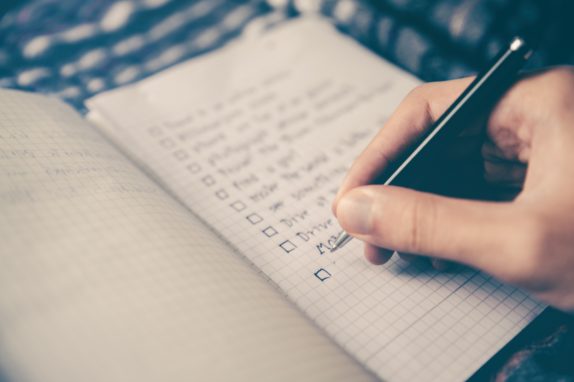
A to-do list is what most people see as the pinnacle of personal productivity. You set a plan, work the plan, and the check items off the list. To-do lists can be a great. They help you focus on what is important instead of just what happens to be on your mind.
However, there are times when creating a to-do list isn’t the best thing. There are times when you need to be able to freely explore and do whatever comes to mind. Vacations are one example. If you create a to-do list (and I know some people who do) for your vacation, it might take away from some of what you need to get out of a vacation.
I also find that there are times where I need to focus on a particular area, but without having a pre-defined set of tasks. For example, if I set aside a day to work on improving this website, I may or may not have a list of things I need to do. Sometimes it might be best for me to just find tasks and do them instead of trying to come up with all the tasks ahead of time.
Spending a day at the library is another example. If you have a preset idea of exactly what you want to accomplish, you might miss some valuable things you could be do that just come serendipitously your way.
The most likely reason people aren’t able to follow a to-do list during a normal work day is because of unexpected fires and emergencies. You have a great plan, but the whole world seems like it is conspiring to prevent you from touching even one item on your list. It isn’t that you aren’t accomplishing anything, it is just not the stuff you had on your to-do list.
This is where the idea of a have-done list comes in. Instead of feeling guilty because you spent a day following no prescribed path, simply take note of what you did. At the end of the day, make a shortlist of what you accomplished. This gives you a chance to reflect on how well this approach to work fits with your personality. It will also help you better understand the types of things that you do naturally and the types of things you avoid. This understanding can benefit you when trying to use a to-do list in the future.
Basically, my point is to give yourself a way to see what you’ve accomplished without worrying about deciding what you are going to do ahead of time. Most likely, a to-do list of some type will be the most beneficial for the majority of situations, but making a have-done list at the end of the day helps for those times where a to-do just isn’t appropriate.
Originally published February 26, 2007.
- It sounds like the digital rights management on the Kindle isn’t as clear cut as it sounds. Worth reading if you are thinking about getting a Kindle. (0)
Your Locus of Control
June 22, 2009
Locus of control is something studied by psychologists to determine how people perceive their ability to change events. Someone with an internal locus of control believes that they have a strong ability to influence the events around them. Someone with an external locus of control believes that external forces (people, fate, luck, etc.) control events in their environment.

There were some studies done in the 60s that showed locus of control to be a personality variable, not a situational variable. In other words, if you put two people in the exact same situation, their perception of their ability to control the situation can vary wildly. Their perception of how much influence they can assert in their environment is a product of their personality–not the situation.
In a study that compared managers’ effectiveness to their locus of control, there was a high degree of correlation between an internal locus and high performance. The managers who saw their environment as something they could influence generally did just that. They made changes and generally had better results than the managers whose locus was external.
This all seems like common sense. If someone doesn’t believe that they have the power to change things, they are unlikely to try very hard. However, like much common sense, it is easier to recognize in others and harder to apply to ourselves.
When faced with a situation where we don’t feel like we have much control, it is important to remember that there is probably someone else with a stronger internal locus of control that would view the situation much differently. They would see the difficult situation as something that they had the power to change. By taking a step back and viewing the situation through the eyes of someone with a different personality, we can discover new ways of handling difficult problems.
On the other side, it is important to realize that there are people with a much more internal locus of control than our own. When working with someone, try to understand where their locus is so you can better understand how they view their world. Being able to see problems and challenges through their eyes can result in much more effective communication and teamwork.
Originally published January 23, 2007.
Interview: Computer Setup
June 18, 2009
In the next part of our technology interview, we asked a number of people:
Describe your computer system setup and tell what parts you feel are most important for your productivity. (679)
I was surprised at how many Mac users we had. Obviously everyone’s setup is based around their particular needs, but there are some great tips in here.
OS X itself is great for my productivity. In the year and a half I’ve been using a Mac, I’ve had only a few trivial computer problems, all easily solved.
The two programs that most add to my Mac productivity are Quicksilver and TextExpander. To my mind, Quicksilver’s versatility alone is a good reason to use a Mac. TextExpander, like the Windows programs AllChars and AutoHotkey, cuts down on all sorts of repetitive typing.
Michael Leddy from Orange Crate Art (rss)
I’ve had significantly more issues with my Mac, but I’m pretty hard on computers and I still prefer it to my windows machines.
My system is an iBook G4 on an iCurve laptop stand, a wireless keyboard, a wireless mouse, a Lacie external hard drive, a powered USB hub, JBL Creature II speakers, a Samsung 22″ monitor and a generic printer.
The most important parts are my second monitor and my speakers. Having a dual-monitor set up is an incredible time saver. You don’t really realize how much time you waste switching between windows and programs on a single monitor until you can spread out your work between two. Being able to have research side-by-side with my word processor, and not have to scroll around to see everything, is awesome.
Also, I am a very auditory person. I need music to get things done. When I’m having a hard time concentrating, turning on some soft music really helps me to shut out my environment and get focused on the task at hand. If I have to do something relatively mindless and repetitive, it helps to turn on some upbeat and exciting music. I wouldn’t be nearly as productive if I didn’t have my beloved speakers.
Personally, I find music distracting while I try to work, but I do have a set of M-Audio speakers that work very nicely when I do need to listen to something. Up until about a year ago, I would have voted for a dual monitor setup. Now I have a 30 inch screen and have found a prefer it to having multiple monitors. Of course, I haven’t tried dual 30 inch displays….I might like that even better.
As far as hardware is concerned: I have a very regular Windows setup, with a 22″ TFT widescreen monitor (my biggest asset really).
I tried a lot of programs for my GTD setup, but none of them survived (it’s on paper now). Applications I use:
- Firefox with a bunch of plugins
- Gmail as my email productivity epicenter, everything gets handled from there.
- Google Reader for my feeds.
- WordPress. My blogging platform, I love it!
- Crimson Editor for writing code (tabs and colors).
- Joe’s Goals for my daily check-in on goals and habit changes.
I have tried writing blog posts with full screen text editors like Darkroom, but they only added an additional layer between me and the end result.
To summarize, I look for (preferably online) applications that perform the action I need as direct as possible, and have easy to use interfaces.
Lodewijk van den Broek from How to be an Original (rss)
I’m impressed with how much Lodewijk is able to do with online tools. I generally try to get real applications because the internet isn’t particularly fast in this part of the country and I sometimes am trying to work from places with very poor connectivity.
MacBook Pro. 250GB hard drive, 4GB RAM, 17″ high def screen that has the equivalent pixels of a 24″ monitor.
I don’t stay in one place all the time, so I need a machine that can do it all, wherever I am.
OSX allows me to save a ton of time with menial tasks. Between Quicksilver, Automator, and TextExpander, I save thousands of keystrokes.
Additionally, the built-in iSight camera is very excellent for video conferencing with staff in other cities and states.
This is similar to the laptop I use. The HD display is very nice although most of the time I’m using an external monitor.
I do all of my work on a laptop, even though it is several years old. I have a much *better* desktop, but I use that mostly for photos/music, since I have no desire to be moving stuff back and forth, and potentially forgetting something important.
Some things that make me more productive: multiple monitors (3 total), using software like SlickRun, Launchy, AutoHotkey to get things going faster. For example, I have a gazillion date formats input into AutoHotkey, so whatever program I’m in, I can immediate enter a date in the right format. And not just today’s date, but yesterday, tomorrow, x days from now (x < 7), x weeks from now (x < 4), etc. I’m lost without that script. Plus my favourite note-taking-life-organizing software - EverNote 2.2 (avoid the new beta - it’s not powerful enough!).
GTD Wannabe from GTD Wannabe (rss)
Three monitors. I’d like to see a snapshot of his/her desk.
I actually work with two computer systems.
In the office I have a Windows PC with Outlook 2007 as my productivity dashboard. To process e-mail I right-click-drag the message to the tasks folder to convert them into tasks. After processing my e-mail I switch to the calendar (with the to-do bar visible) so I won’t be distracted by incoming messages. I have created my own views in Outlook to show me only the information I actually need. Another important tool is ActiveWords, for which I have created several scripts in order to create tasks and notes with just a few keystrokes. Besides e-mail, I receive a lot of action items through IM, which I simply highlight and convert into tasks via an ActiveWords script.
At home I have a macbook, and my productivity dashboard on that system is the combination of iCal and OmniFocus. Also here it is important to be able to generate tasks and appointments as fast as possible, in this case aided by QuickSilver (I still have to dive into AppleScript). Lately I have started using Spaces in order to keep my screen
less cluttered.
I have automated the communication between those two systems through e-mail messages. With a single AW keystroke I can bring up a pop-up window on my office PC, type in a message, after which it will generate a specially formatted e-mail message to my home address, where it will be automatically imported into OmniFocus.
Jeroen Sangers from El Canasto (rss)
This is an interesting setup. I’ve used ActiveWord on the PC before and it is a pretty nifty little application.
Having a laptop is most important to my productivity. I’m not bound to my desk to get work done. If I get a case of cabin fever, I take to the forest behind my house or a nearby coffee shop if I need wireless access. I can work anywhere.
Erin Doland from Unclutterer (rss)
Most of the time my laptop sits on a shelf under my desk hooked into my external monitor, but it is very nice to be able to quickly packup and head somewhere else to work. Before our daughter was born, I’d do a lot of work while traveling in the car. It is a bit more difficult to concentrate with a two year old wanting to show you things out the window.
I have two different setups depending on the type of work I’m doing. The first of the two is just a MacBook and the second is that MacBook with the external 20″ monitor, keyboard, and Mighty Mouse. For all work besides that that’s going to have a lot of data copying, manipulation, and graphics work, I prefer the lone MacBook, as it makes me focus on one task at a time and I have found that I get a lot more done without feeling like I’m working, since I can do it on the couch or other places that I find comfortable.
I write almost everything in Textmate, with a large document that has the working draft on the left and a smaller document to the right that has the basic structure of what I’m writing. The minimalism of Textmate, combined with features that allow me to access needed functions without leaving the keyboard or program, have really helped me get my writing done, and having the structure of what I’m writing quickly accessible keeps me focused.
So, the most important part of the MacBook setup relevant to productivity is that it makes me focus, it makes almost any work I do more enjoyable, and, combined with Textmate, I have all of the features I need without having to juggle multiple programs.
Charlie Gilkey from Productive Flourishing (rss)
This is an interesting perspective. Sometimes cutting down on your screen real estate can help you focus a lot better.
My setup at work and home is pretty similar but I’ll use my work setup as I use it more often!
I have a PC (single monitor) and a G5 Mac (Dual Monitor). I have to say that I work probably twice as fast on the Mac thanks to the dual monitors, there’s little need to tab between applications which speeds everything up considerably.
My Mac also has a 24″ as one of the monitors and this large screen size really helps too.
Katy Whitton from Flipping Heck! Productivity, Project Management & Motivation Blog (rss)
Nice dual computer setup. I have my MacBook Pro and a Linux desktop computer both hooked to my monitor and keyboard through a KVM. There is a little button on my desk that I can hit to toggle back and forth. It is fast and lets me get more out of my investment in a large monitor.
My computer system is very basic, but the big change I recently made was to get a second computer monitor. It has changed my life — I’m sorry to say!
I’ve been surprised by how much faster the extra monitor has allowed me to work.
Gretchen Rubin from The Happiness Project
I once read about someone who had added another monitor. They said it helped their productivity until they realized they could watch movies on one monitor while working on the other.
I’ve got a Mac mini, an iBook G4 and a PDA phone (iPaq, I think). All these devices sync with each other so my most essential information is backed up and with me all the time.
The Cloud is also an essential part of my computer system setup, though a less physical component of it. The Cloud facilitates not only most of my information synchronization, but gives me assurance that I can access anything I need to without my devices (especially in the event of theft, damage or loss).
You can be productive on basic, consumer-level equipment, though I suggest maxing out your RAM - it’s cheaper than upgrading computers every two years.
http://www.joelfalconer.com from Joel Falconer (rss)
Getting devices to sync together is something a lot of people overlook. I’ve got a reasonable system setup, but it still isn’t the full synchronization I’d like.
My system pretty much revolves around the Omni Group’s OmniFocus – it holds all of my to-do lists, reminders, and the like. I try as much as possible to use my smartphone as my capture device, from which I’ll either send myself an email or use Jott, depending on the circumstances.
The phone also keeps my calendar and lets me know when I’m due somewhere soon.
I’ve also recently started using my little point-and-shoot camera to record meeting notes from the whiteboard at the end of team meetings. Rather than take the time to write stuff down after the meeting, or have someone do it during the meeting, I just take a few pictures of what’s on the board and then type up notes as soon as I can.
Sam Kale from Vanderbilt OwenBloggers (rss)
Using the camera to record whiteboards is a great idea!
I use a Vista computer at home with two monitors. At work I have a desktop and laptop that I use at the same time. Having two screens is a big help when writing or trying to use multiple programs at once.
John Richardson from Success Begins Today (rss)
I’ve been surprised just how often you can use two computers simultaneously. I’m not sure how efficient it is, but having two computers on my desk, I do find I jump back and forth a lot. I think I’d do it even more if they weren’t sharing the same monitor.
I use a Sony Vaio with WinXP. The most important piece is my Sprint Card. With that, I get the WWW (Whatever, Whenever, WiFi or not) all the time
Mike Sansone from ConverStations (rss)
I’ve been pretty impressed with my Sprint card as well. It lets me work from some places where the only other option is dialup or satellite.


Recent Comments