Bookmarks, sticky notes, grocery lists, tasks . . .
I feel like I just cluttered up that sentence. (Or sentence fragment, if you want to be technical). The web has become such a powerful tool that often its abilities outrun our ability to organize the massive amounts of information that we collect from it. If you’re like me, you use your browser’s system to create folders under “Bookmarks.” However, this really isn’t the most efficient way to categorize information that you want to reference with any kind of dexterity.
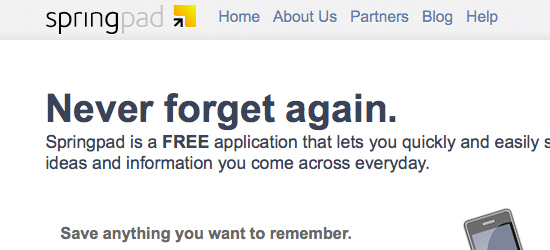
Recently, there have been several companies that have produced organizational tools for the web. Evernote, Yojimbo and Chandler all have some of the same purposes behind them. However, each one has a different niche. Evernote is a great catch-all tool, Yojimbo has a more simplified user experience than Evernote, and Chandler focuses the most on task management. All three of these have desktop software and a corresponding web interface that sync with eachother. I didn’t think there were many more niches to fill; however, Springpad has found one. The product does not have a desktop element, but there is a Springpad app for iPhone. I haven’t tried the iPhone app, myself, but I would guess that the app works something like the iPhone app for Evernote.
Organization
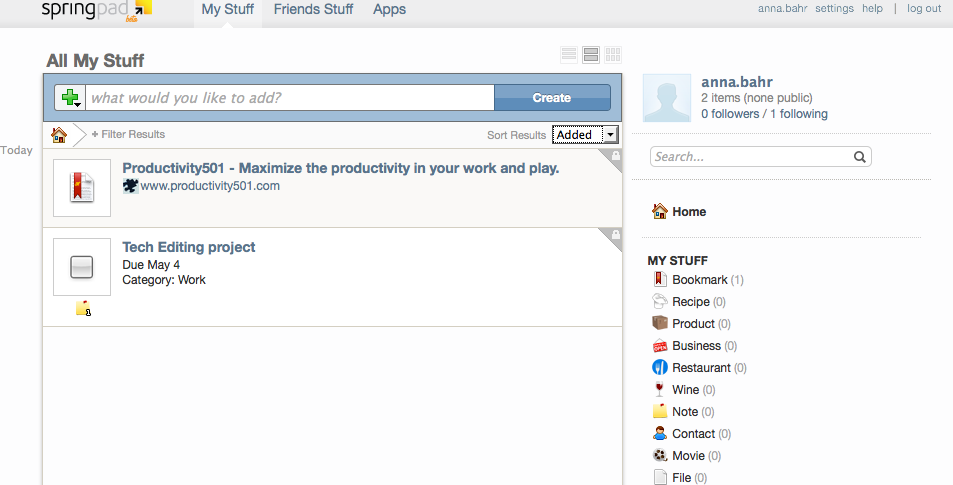
Springpad has a more structured approach to categorizing information than does Evernote. That is not to say that Evernote doesn’t allow for adequate structural organization, but Springpad has two main categories (My Stuff and My Plans) and a set of subcategories that organize information for the user (recipe, product, business, restaurant, wine, note contact, movie, etc.). Springpad even has a category for a packing list!
Alarms and Tasks
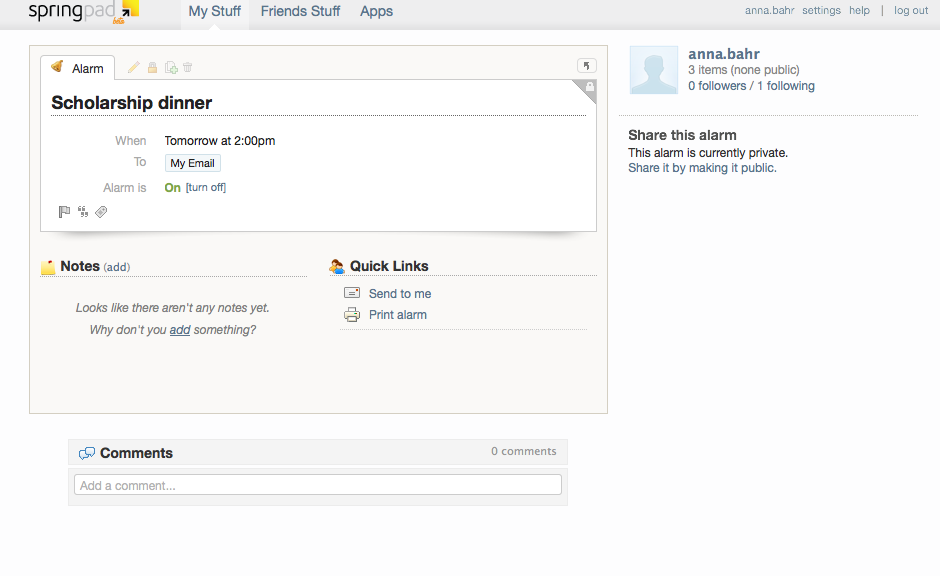
In addition to providing categories for miscellaneous information, Springpad shares Chandler’s ability to create alarms, tasks, task lists and saved searches. The user can set the alarm to go to email or another channel, but additional channels have to be specified for this function to be available. This feature is especially helpful because of the fact that most people check email regularly during the day, if not too much. It is a much better way to remind yourself of important events than writing a note on your hand or adding another sticky note to the conglomeration already taking over your desk.
Clipper
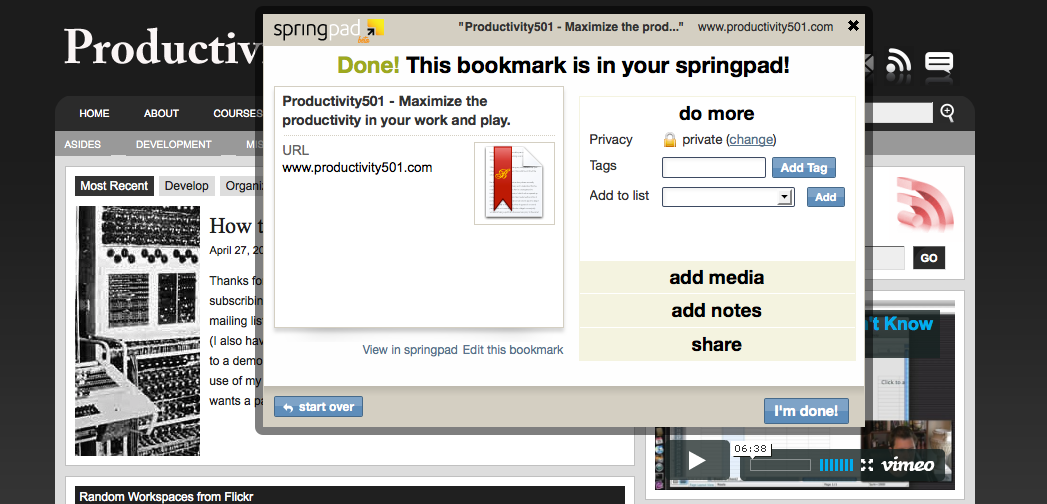
Much like Evernote, Springpad has a web page clipper that lets the user capture information directly from their browser into the online notebook. From the Springpad website, the user can click and drag the clipper button to their browser (if they are using Firefox).
Privacy
Like most of its contemporaries, Springpad allows the user to toggle privacy on or off. This feature provides customization for the information for your eyes only and the information you don’t mind sharing with everyone else.
Lists
One last handy feature of Springpad is that it provides a link on tasks and lists that allows to you print the list in question. If the user has already entered a grocery list or packing list, it takes just one click to print the list.
Conclusion
When the internet was first developed, I doubt that anyone foresaw how central it would become to our daily lives not so many years later. Now online shopping, task management, college classes and task management are all available from the comfort of our homes. Springpad fits nicely into the niche that it was meant to fill. It is easy to use, has a simple user interface and takes little time investment while it has the potential to give significant returns.
Thanks for the review! If you or your reader ever have any questions on Springpad, please feel free to email me at [email protected]. Also, check out or ‘Using Springpad’ section of the blog for more tips & ideas on how Springpad can work for you: http://blog.springpadit.com/category/using-springpad/
I think Springpad is much more intuitive and convenient than Evernote but in order to gain new users you could possibly add support of Opera (a very popular browser in Europe) and symbian devices that are hundreds of millions in number.
thank you very much
Hi all – I’ve been a very active Evernote Premium user for quite some time. Up until November, I scoffed at other competitors such as Springpad. Then, in November 2010, Springpad unleashed a massive refresh of their UI and many slick new updates. I’ve blogged about it at length and Springpad featured my post on their site (I’m not tooting my horn at all). Evernote has unleashed a series of incredible updates as well recently – the most notable is sharing notebooks and notes through social streams. When the question comes up about Springpad vs Evernote I think the real question is this: what do you want to do with your notes?? Evernote is amazing for me professionally because of its search engine, OCR capabilities, nesting of notes & notebooks, etc. Springpad has its advantages as well – its whole business model relies on being able to semantically categorize your notes and offer up 3rd party links to Amazon, IMDB, Google, etc. I just put together a pretty comprehensive comparison chart between the two services and I’d enjoy getting your feedback of what you all think: http://wp.me/ptgV6-bf. I think it lays everything I could possibly think of about the differences. Thanks!