We asked a number of professional organizers to be part of a three question interview. This is the first of those questions that we will be publishing over the next few weeks. Thank you to everyone who participated and shared their perspective. What is the single most important tip you would give to someone who is having trouble managing all the paper in their lives? "Recycle most of it as soon as it comes in the door." Melissa Michaels from The Inspired Room (rss) My trash can is right next to the mailbox. I've found that I can often get by without even bringing junk mail into the house. I've heard other people recommend that you open your mail over the trash can or recycle bin to … [Read more...] about Group Interview – Dealing with Paper
Search Results for: Dealing With Paper
Dealing with Signatures in a Paperless Office
With email, one of the main reasons I have to print things off is to sign them and fax or mail them back. As I transition to a paperless office I'm having to look at ways to sign documents without printing them out. There are really two types of signatures. The first is just an image of your handwritten signature. The second is a digital addition to the file that "proves" you were the one that signed it. By now digital signatures should be common, but they aren't. I'm not saying they aren't used in big companies, but the average web user isn't signing emails or anything else digitally. Right now most of the paper that requires my signatures needs to be faxed to someone. If I want … [Read more...] about Dealing with Signatures in a Paperless Office
Dealing with Complexity

The two things I've spent the most time studying are software engineering and music composition. While they seem to be very different fields of study, large-scale works in either area rely on one very important common skill: the ability to manage complexity. In software, you know that your complexity is out of control when it becomes harder and harder to make changes as the size of the code base grows. In music, complexity is out of control when your piece becomes less and less coherent as it grows in length and instrumentation. It wouldn't surprise me if other fields are similar. Once you get the basic skills and semantics out of the way, the biggest thing that determines whether or … [Read more...] about Dealing with Complexity
10 Paperless Office Myths

The paperless office is no longer being held back by technical challenges. Everything you need to "go paperless" exists. The current barriers are cultural and process issues more than anything technical. In this article, we are going to look at ten of the common myths about going paperless. 1. Technology isn't ready for a paperless office The components of a paperless office are readily available and fairly inexpensive. The technology is readily available not only to scan in your existing paper, but to eliminate the creation of new paper through better workflow tools. While the technology for going paperless is readily available, the rate of adoption for these tools and this system is … [Read more...] about 10 Paperless Office Myths
Paperless Office – Reducing Paper Creation
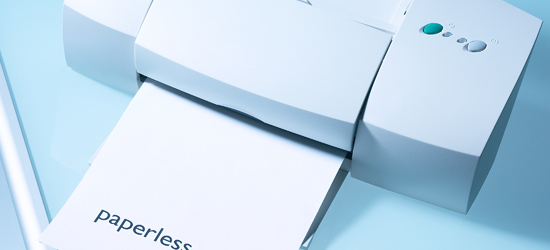
When people think of a paperless office, they usually focus on how to store documents in a digital form. This is important, but it misses the real point of going paperless. The real benefit comes from creating documents in way that they are digital for the entire lifetime. Once a document gets printed out, you've broken the paperless life cycle. This is why scanners are simply a stop-gap solution for paperless offices. If your paperless system is set up right, scanners should only be needed to handle documents from people who aren't yet paperless. So how do you create documents that can remain paperless for their entire life cycle? Here are some areas to think about: How will others … [Read more...] about Paperless Office – Reducing Paper Creation
Paperless Signing and Faxing
When it comes to dealing with faxes my two biggest timesavers are using a scanned signature and the ability to sign documents from Acrobat. These two things make a huge difference in my ability to work from anywhere I have an internet connection. … [Read more...] about Paperless Signing and Faxing
Dealing with Clutter

Everyone seems to have some degree of clutter in their lives. The paperless office is still a dream, so we still have to deal with many pieces of "stuff" all around us. This stuff can be paper, equipment, books, printouts, electronics, or any number of things. A certian amount of clutter may be productive. Some people just function better when things are in site. However when clutter gets to the point that it slows you down, you need to do something about it. If you find yourself spending time looking for things, that is a good indication that clutter is controlling you. Here are several tips for reducing clutter in your life: Open your mail over the trash can. This will help … [Read more...] about Dealing with Clutter
5 Tips for Dealing with Mail

Everyone gets mail. It can consume a lot of your time, effort and storage space to process and store. Here are 5 tips to help you manage your incoming mail. Open your mail over a trash can. This simple tip can help make sure that any mail that doesn't belong in your house gets taken back out. If you have a trash can outside, that may be an even better place to open it. This is a particularly good way to make sure that the envelopes and generic mailings don't clutter up your work area. Get off the lists. If a company has you on their mailing list, but you don't want to receive anything else from them, simply ask to be taken off. It is better for the company, better for the … [Read more...] about 5 Tips for Dealing with Mail
Paperless Office – The Components
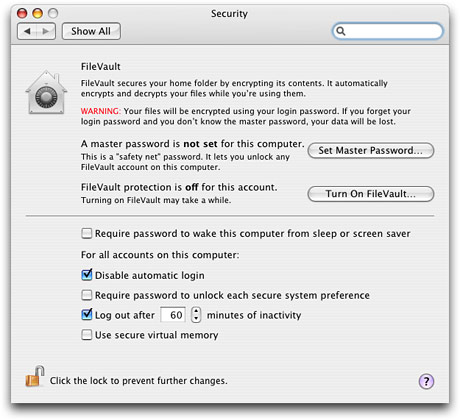
I've been doing a lot of planning as part of my Paperless Office Experiment. The comments on my first post have been very helpful in guiding me in the right direction. If you have any suggestions or experiences, please share them. The biggest portion of my planning has been in trying to identify the components necessary to make a paperless office workable. Simply adding a scanner won't make you paperless. You have to have a system that works together as a whole not just a few random pieces of technology. Here are the components I've identified as being necessary so far. I'd be interested in any input on things I may have overlooked. Scanner Most people start with a scanner when … [Read more...] about Paperless Office – The Components
Paperless Office Experiment
I've talked before about how the paperless office is still a dream. As I look around my desk right now, I have stacks of paper requiring my attention in various places. We are halfway through 2007. Seriously, weren't we supposed to have flying cars and robots to do the dishes and fold the clothes by now? A paperless office seems like it should be normal by now, but it isn't. One of the things that has hindered the adoption of paperless technologies is the fact that they concentrate on the "paperless office" instead of focusing on a "paperless workflow". For example, if I have a paperless office that requires printing out incoming documents, signing them and then scanning them back in … [Read more...] about Paperless Office Experiment
Iron Chef – A Productivity Fable

Tortoise and Hare were both known for their culinary expertise and were invited to a face-off in the Iron Chef. Soon after the competition began, it was clear that the Hare was significantly ahead of the Tortoise. The audience was amazed at the speed with which Hare mixed ingredients, poured them into another container and tossed the mixing bowl aside to move on to the next step in preparation. Tortoise, on the other hand, seemed to be well behind. It wasn't that he was going slower than Hare, but the audience agonizingly watched as he carefully cleaned each bowl, pan and utensil and put them back in their place after use. Tortoise was making progress, but was well behind the Hare in … [Read more...] about Iron Chef – A Productivity Fable
Red Butler Review
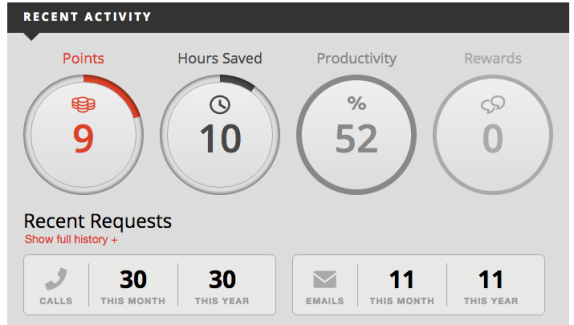
The last two years have been very busy and required a lot more travel than normal for me and my family. I'll typically book my own travel and call American Express when I have something more complicated than I can just book online. However American Express is a bit focused on their particular programs and partners. They will take your frequent flyer numbers and hotel program numbers and use them when they book, but they won't necessarily look at your situation as a whole and try to find the best place for you based on your status level. I started looking for other options that provide concierge/travel booking/executive assistant type services thinking that when we are spending a lot of … [Read more...] about Red Butler Review
Single Biggest Productivity Tip

My biggest productivity tip is very simple. It isn't a fancy application for your computer. It isn't a complicated process. It is very basic and very easy. Here it is: At the beginning of the day, take out a blank piece of paper and place it in the center of your desk. At the top write the three most important things you want to accomplish for the day. These are the three tasks that are important enough that their completion will allow you to declare the day a success--regardless of what else gets done. That is it. It is simple and easy to do, but if you follow that advice you'll find your productivity will skyrocket. Your day is like a jar that you are trying to fill with three large … [Read more...] about Single Biggest Productivity Tip
Interruption Prevention Strategies

If you work in an office, you probably deal with interruptions. Now, not all interruptions are bad--the whole point of working in an office with other people is so that interactions can occur. However, it is possible to get into a situation where your entire day is spent dealing with interruptions. If you need to cut down on the interruptions in your life, consider some of these methods. 1. No seating If you have your own office, you might consider getting rid of the extra chairs. People are less likely to come in and stay for a long period of time if you don't have a place to sit. You can keep a fold-up chair in a closet or behind your desk for situations where it is needed. 2. … [Read more...] about Interruption Prevention Strategies
Becoming Selective

Back in Mozart's day, music was a rare thing. If you had an opportunity to hear good music, it was a special treat and something you'd definitely want to take advantage of. Now days, music can be found everywhere. People listen to it while working, while driving, while exercising. Music can put you to sleep at night and wake you up in the morning. With access to music everywhere, the hard part is deciding what you are not going to listen to because there are just so many options. It wasn't that long ago that books were a rare treasure. They were difficult and expensive to produce. Even after the invention of the printing press, there was limited choice on what was available to read. … [Read more...] about Becoming Selective
Email is Permanent

Matthew Tanin, a fund manager at Bear Stearns, has learned an important lesson about email: It is, for all practical purposes, permanent. It is easy to think of email as a conversation. You say something and get a reply back and both parties hit delete and it is gone. However, in reality, much of the email you send is stored permanently somewhere--especially when you are dealing with corporate mail servers. If you send a message out, it will go into your sent items and will usually be backed up on your local mail server. Even if you delete the email from your sent items, it is likely to be merely "flagged" for deletion and still backed up. When it gets to the other end, it is probably … [Read more...] about Email is Permanent
Digital Signature & Encryption

In the past we've talked about how to scan your signature to help go paperless. In this post, we are going to look at the fundamentals behind sending truly encrypted emails and documents that can be verified with a digital signature. The idea is to show you the concepts so you understand what is going on behind the scenes to make a secure communication channel over email. So why spend the time on this? As we switch to doing more business over the internet, secure communications are going to become much more important. Even if you don't have a use for encryption right now, you probably will over the next 3 to 5 years (if not before). There is a lot of value in understanding why email … [Read more...] about Digital Signature & Encryption
Nexus S 4G Sprint Android Phone Review

Switching phones is expensive, so I try not to do it very often. The cost of phones isn't that bad, it is the time investment required to get a new device setup, the important data transferred over and learning how to use it. I've been using an old Blackberry Curve for years, but when it started randomly shutting itself off, I finally decided it was time to go ahead and get and updated device. In this post I'm going to review the Nexus S 4G and cover some of the technology decision points I made along the way to selecting it. Most of the reviews I've seen concentrate on the technical specifications of the Nexus. This review of the Nexus S is going to be focused … [Read more...] about Nexus S 4G Sprint Android Phone Review
10 Ways to Reduce Clutter

Clutter comes at a cost. A room with a lot of clutter takes longer to clean. A cluttered closet can make it nearly impossible to find what you are looking for. If you are looking for the clear tape in a few very cluttered drawers, it might even be faster to drive to the store and buy a new roll instead of trying to find the one you own. In this post we are going to look at 10 ways you can help keep clutter to a minimum. These aren't hard and fast rules--take what is useful to you personally and ignore what isn't. A few brief decisions acting as a de-cluttering superhero can reap long term rewards--particularly when you start fighting clutter at its source before it even makes it into … [Read more...] about 10 Ways to Reduce Clutter
Online Degree Programs

Over the next ten years, I believe we are going to see an ever increasing shift toward online degree programs in areas where people have traditionally attended a physical university. There are a number of obvious reasons for this trend, but here are a few: Low cost to scale - A well designed online degree program may have a high fixed cost, but a low-cost to add an additional student. The cost to provide a degree program to 20 students vs. 40 students requires a much smaller percentage increase than doubling the number of student physically coming to class. Tighter focus on education - Online degree programs tend to be much more focused on the actual educational process with less of a … [Read more...] about Online Degree Programs
Never Hire An MBA

If you are responsible for hiring people, someone with a master's degree in business administration might look like an attractive hire. While, "Never Hire An MBA" might be a bit extreme, I see a lot of people who overvalue an MBA. In particular, small and medium sized businesses will often try to "hire an MBA". Consider that statement. Wouldn't it seem strange to say, "I want to hire a Bachelors of Science in Computer Engineering"? A Bachelors of Science in Computer Engineering isn't a person--it is a degree. You can't hire a degree. What you really want is a software engineer or maybe a computer scientist--a person. But when it comes to the MBA degree people talk as if you can just hire … [Read more...] about Never Hire An MBA
Home Office – Effective Design

I work from my home office. My commute is a 30-second walk down the hall, down the stairs and into the portion of our house dedicated to my business. As we've moved around, I've built 7 or 8 different home offices. My home offices have ranged from a small corner in a bedroom in downtown Durango, Mexico where the chair would collapse several times each day and we had to be wary of scorpions, to my current, spacious 1000 sq foot office with its own bathroom, fireplace and outside entrance. I've found a lot of things that work well and a lot of things that didn't work out so well. In this post, we are going to discuss some of the issues and planning that should go into setting up an effective … [Read more...] about Home Office – Effective Design
Your Intelligence – Reading, Writing & Arithmetic
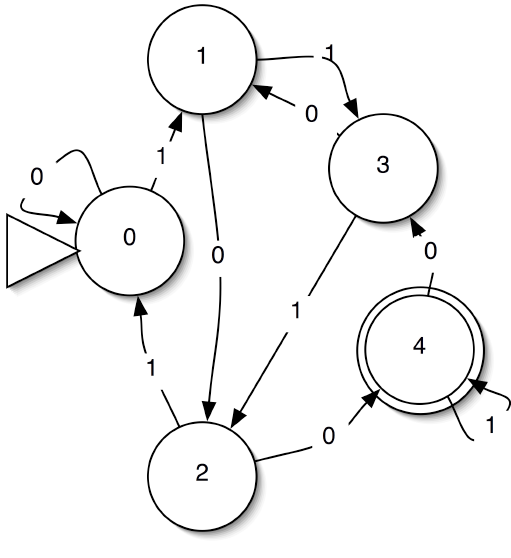
We looked previously at some ways to appear smarter and look more intelligent. In this post I want to talk about ways to actually become smarter. A portion of your intelligence appears to be fixed. Research seems to indicate that there is little you can do to drastically increase your IQ. However, IQ is only one component of functional intelligence. Your knowledge, experience and training have a very profound effect on your ability to solve real-world problems. So even if you can't directly increase your IQ, you can increase your ability and speed to solve problems, which functionally accomplishes nearly the same thing. We are going to look at three areas as the foundation for … [Read more...] about Your Intelligence – Reading, Writing & Arithmetic
5 Questions To Help Organize Your Desk

Look at your desk right now. Is it messy? If so, don't feel too bad. It isn't uncommon. This post is a series of questions to ask about the stuff that is currently on your desk. Asking these questions will help you find the cause of a messy desk and give you some ideas for stopping the disorganization at its root. This is vastly more beneficial than simply taking the time to clean your desk right now, because if you don't change your process and organization, you'll be back in the same position in a week or so. 1. Do you have reading materials on your desk? One common source of desktop disorganization is reading materials. Magazines, newspapers, etc. that come to you that you feel … [Read more...] about 5 Questions To Help Organize Your Desk
Tuesday’s Tip: Stop Communication You Don’t Need

Most everyone gets a barrage of emails, telephone calls, and physical mail that they don't really need. I'm not necessarily talking about spam. I'm talking about newsletters from organizations in which you are no longer active, donation requests from non-profits that you gave to years ago, etc. Most people just accept the interruption and toss these items into the trash, but a better option is to try to stop them altogether. Taking a few minutes to send a note asking to be taken off their mailing list can save you a tremendous amount of time in the future. If you get a monthly newsletter in the mail that you identify, consider opening and then toss in the trash, it can easily take … [Read more...] about Tuesday’s Tip: Stop Communication You Don’t Need
Interview: Home Office

Despite the popular misconception that working from home is simple, creating an effective work environment in your own home can be quite a challenge. Dealing with interruptions and distractions is something that every job holder faces, but for the home worker, these distractions are often more abundant and become very detrimental to productivity. We asked experts for advice on the following topic: What is your best piece of advice for creating an effective work environment in your home office? The single most important productivity strategy is equipping the home office to facilitate the work. Today, in fact, a (used!) Steelcase desk system is being delivered here. The U-shaped work … [Read more...] about Interview: Home Office
Office Timesavers

There are a lot of little things you can do to save yourself time in your office. Each of these ideas can make a modest improvement in the amount of time you save. If you do several of them together, it can start to add up to a serious amount of time savings by streamlining your work. 1. Keep cleaning supplies within easy reach It is a simple thing, but having some Windex and paper towels nearby to wipe down your desk can save you time and help keep your workplace more organized and tidy. 2. Remove your guest chair People are less likely to stay for a long time chatting if there isn't a place to sit. You can keep a fold out chair nearby or borrow a chair from the conference room … [Read more...] about Office Timesavers
Fewer Financial Institutions

Last year I finally got fed up with all the statements I was getting from various financial institutions. I had retirement accounts with 4 or 5 different companies and stock accounts with 2 or 3 others. It was very difficult to keep track of what was doing well and what was doing poorly. I finally settled on two institutions; one for retirement type accounts and one for my non-retirement savings, checking and investments. I contacted both institutions and gave them a list of what I wanted to move over. On the retirement side of things, the transition went very smoothly. They filled out all the paperwork, sent it to me for my signature and I FedExed it back to them. The … [Read more...] about Fewer Financial Institutions
SmartShopper Grocery List Organizer Review

Many times I've wondered about ways to keep a centrally located, well organized grocery and errand list. Members of my family have a tendency to "borrow" the list to add something, only to forget to put the list back. Though a pen and paper are often the best and most efficient way to keep track of a to-do list, some families might need something a bit more creative. When I was handed the Grocery List Organizer to review, I was a bit apprehensive as to how well the device would actually function. Fortunately, I have been pleasantly surprised. Appearance The Organizer is an oblong-shaped device with a small screen located at the top, a large "Record" button in the middle and a … [Read more...] about SmartShopper Grocery List Organizer Review
Box.net Review
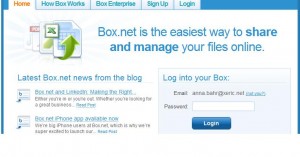
Collaboration on large, complex projects can be a big hassle. Giving out hard copies can create an even bigger mess if someone loses his or her copy of the information! Most of the time it is just plainly more productive to solve a problem once and for all, instead of solving that same dilemma multiple times. The people at Box.net have come up with a neat new way to share and edit information efficiently, making it possible to access all informational aspects of a project in the same place! This product streamlines the communication between team members or departments efficiently and competently. However, although Box.net is a logical choice for the workplace, it could also be used for … [Read more...] about Box.net Review
9 Programs Worth Buying for OS X
Here some of the software I have spent money on and that was well worth worth the cost. Most of these deserve their own post and screencast just to show you how truly useful they are, but for now, here is a high level overview of each program. 1Password - I owned this software for about a year before using it. It was part of a MacHeist packaged deal. I didn't think I would ever want to use a password manager. (Real men keep their passwords in their head right?) Grant mentioned that it was a must have piece of software, so I finally decided to try it out. It really is incredible. I've been blown away by how much time I was wasting dealing with passwords. If you deal with passwords for … [Read more...] about 9 Programs Worth Buying for OS X
Reader Question: Why isn’t my assistant saving me time?

I just got a personal assistant, but they aren't saving me any time. What am I doing wrong? Several people have asked me about this. There are many different issues that could be involved, but I see a lot of people who hire an assistant and then can't think of what they wanted them to do. Either that, or it turns out their original ideas are all things that really can't be handed off to someone else. Here are some of the things I have had assistants do for me. Some of these tasks can be done virtually, but many of them require physical presence. I'm leaving out most of the things my assistant helps me do for clients and trying to primarily give you some ideas of how your assistant … [Read more...] about Reader Question: Why isn’t my assistant saving me time?
Interview: Managing Wires

We interviewed a number of bloggers about how they manage the wires in their office setup. Wireless technology was the most frequently mentioned solution, but there are a bunch of other great ideas as well. Organization interview question: What is your best tip for managing the multitude of wires in a typical computer setup? (182) Use a good computer desk or table along with zip ties to keep everything out of sight John Richardson from Success Begins Today (rss) I've also had good luck with using double sided velcro for this purpose. Another thing that seems to work well is using black electrician's tape to tape up cables that are longer than what you need. I use as many wireless … [Read more...] about Interview: Managing Wires
DevonTHINK’s Classify Feature

As part of my paperless office experiment I'm finding that scanning is actually the easiest part of the whole setup. A lot of what is difficult is finding a workflow that makes sense. For example, if your assistant scans in 250 documents from your file cabinet, you need some way to classify and organize those into your system. Obviously you can look at each one and figure out where it goes, but this is very slow. DevonTHINK has a feature that helps with this. It looks at the text in the document you want to classify and then looks at the text of documents already in the system. Then it suggests a location that puts it with similar documents. This is extremely useful--especially when … [Read more...] about DevonTHINK’s Classify Feature
Links of Interest
This is a very large list of links to articles we found interesting here at Productivity501 on no topic in particular. If you like these you might want to add Productivity501 as a friend on StumbleUpon, Digg, and/or Twitter. Also consider subscribing to our RSS feed. Matt Goes Digital - Matthew Cornell Matt Cornell shares some tips on moving away from a paper based system. Particularly useful if you use a Mac and OS X. Organizing Your Desk and Paper-Ariane Benefit Some helpful advice for keeping you desk from becoming one massive pile of clutter. Also gives tips for using items you already have around the house to help you become more organized. Research That Reveals New … [Read more...] about Links of Interest
Ultimate Virtual Assistant Guide

I have been experimenting with using virtual assistants. I've worked with two, one in the US for about two weeks and one in India for two months. It has been an excellent learning experience and I wanted to share it with everyone in the form of this guide. My goal is to give readers a good idea of how a remote assistant can help them, along with an idea of the benefits and drawbacks. This guide should give you a pretty good idea of what you need to get started working with a virtual assistant and should help you avoid some of the errors I made in the process. I am also going to look at the idea of having a local assistant and how that compares to working with their virtual counterpart. … [Read more...] about Ultimate Virtual Assistant Guide
Group Interview – Productive Software

If you made a list of the software that helps you stay productive, what do you think people would be most surprised to find on that list? That is the question Productivity501 asked a number of productivity experts. Below are their responses. A little program called On The Job from Stunt Software. It's a simple time tracker and invoice generator for projects. But here's how I also use it: I have entered what would be my hourly rate based on my projects and income. Then, as I field phone calls, do tasks, and muck around, I click the starter button on the timer, the "Stop" at the end. The value of what I just did immediately appears on the screen. Wow. After one day of seeing how I was using … [Read more...] about Group Interview – Productive Software
Group Interview – Distraction Free Internet
The internet can help your productivity, but it can also be a distraction. How do you obtain the benefits while avoiding the downsides?. I finally had to do two things that are working for me: In the Bookmark Bar, I narrowed the categories to only those related to business. I allow myself a set amount of time (20 minutes) to check the newsfeeds and other favorite sites for 20 minutes maximum 4 times during the day. On minute 21, I close the browser window.That means I potentially "lose" 1:20 minutes of work. As a result of the routine, it never amounts to that much. Steve Roesler from All Things Workplace (rss) Steve's suggestion to allow a certain amount of time for … [Read more...] about Group Interview – Distraction Free Internet
American Express Concierge 3
On Mondays we've been discussing working with a remote assistant. We've taken a brief side trail for a few weeks looking at actually trying to use American Express' concierge service. This week I'm going to show an attempt to use the service to find housing in Mexico. My wife and I lived in Durango Mexico for a few months and couldn't seem to find any type of furnished housing. I figured the concierge would be good at locating this type of thing--especially since dealing with lodging in other countries seems to be something American Express advertises they do well. Here is the message I sent: I am looking at spending some time in Mexico next fall. Specifically I am looking at the … [Read more...] about American Express Concierge 3
Amazon Kindle

Today Amazon released their ebook reader called Kindle. I have the original Sony Reader and I've been pretty impressed with it. The new version makes a few small improvements, but is still a similar device. Even though the Kindle is based on the same e-ink technology, it takes a very different approach than Sony. One of the biggest differences it the way books are distributed. Kindle comes with built in EVDO networking. EVDO is the same technology used for high speed connections over the cellular network by Sprint and Verizon (AT&T uses something different). Instead of requiring users to get a data plan for their Kindle, Amazon packages the cost of the wireless service into the … [Read more...] about Amazon Kindle
My Experience Selecting a CPA
For the past year, I've been spending a lot of time learning about the IRS rules for income tax, particularly the rules for a business. After many hours of the IRS website and pouring through other books, I finally decided that I'd be better off sitting down with a CPA. I've talked with several and so far I'm not impressed.What I'm finding is that at least some CPAs seem to be very use to people just taking their advice and not asking any questions. A recent conversation went something like this: Me: It appears that my business can deduct X. Is that correct? CPA: No. Me: Why not? CPA: Because publication 15b says you can't. Me: I just read publication 15b and it says I can … [Read more...] about My Experience Selecting a CPA
Interview: Best Post
This is the third and final post where we interviewed a number of experts in personal productivity, time management and organization. I wanted to thank everyone who participated and also thank Leo at ZenHabits for putting together the list of 50 Productivity Blogs back in April which gave me a great starting point for these interviews. The first question we asked had to do with identifying the biggest way people waste time without realizing it. The second gave the experts a chance to share the single change that has had the biggest results in terms of being effective. The third and final question was: If someone were to read just one post from your site, which would you recommend … [Read more...] about Interview: Best Post
Interview: Biggest Time Waster
Welcome Stumblers. If you like this post, please consider subscribing to the RSS feed. This is the first of a three part post where we asked a bunch of productivity experts three questions. Read after the jump to see their answers along with my commentary about each one. Thanks to everyone who participated. What is the single biggest way people waste time without even realizing it? … [Read more...] about Interview: Biggest Time Waster
10 Ways to Eliminate Distractions from FreelanceSwitch
Freelance Switch has a nice article called 10 Ways to Eliminate Distractions. Below is their list of 10 items along with my commentary. See the original post for their detailed discussion about each item. Turn of email notifications -- This goes along with the idea that humans can't really multi-task so you are better off only focusing on one thing at a time. I understand that in Switzerland some companies have policies only allowing employees to check their emails once each day to help minimize the interruptions from email. Your job may require to to check it more often, but each incoming email shouldn't jar you away from your current task. Remember, email is there to work for you … [Read more...] about 10 Ways to Eliminate Distractions from FreelanceSwitch