
Back in 2005 we wrote about the September/October 2005 issue of The Futurist where they examined Americans' use of time. According to the article, the common perception that there just isn't enough time isn't supported by the stats from a national study using time-diaries. Basically, the findings show that Americans average 35 hours per week of work time and 35 hours per week of free time. So how does that compare to today? According to the Bureau of Labor Statistics people spent an average of 35.91 hours each week on leisure activities in 2016. The average time spent working was closer to 40 hours, but it isn't clear that the methodology is the same. Regardless of the exact numbers, it … [Read more...] about How Much Time Do You Actually Have
Blog
Red Butler Review
The last two years have been very busy and required a lot more travel than normal for me and my family. I'll typically book my own travel and call American Express when I have something more complicated than I can just book online. However American Express is a bit focused on their particular programs and partners. They will take your frequent flyer numbers and hotel program numbers and use them when they book, but they won't necessarily look at your situation as a whole and try to find the best place for you based on your status level. I started looking for other options that provide concierge/travel booking/executive assistant type services thinking that when we are spending a lot of … [Read more...] about Red Butler Review
Power of Expectations

If you are like me, you've probably heard enough about "positive thinking" that you tend to just ignore it. Today I read an article in the New York Times that reminded me just how powerful our expectations are--both positive and negative. The article talks about what is called the "nocebo" effect. You are probably familiar with the placebo effect. People who are given a sugar pill and think it will cure their ailment will often see improvements simply because they expect it to help. The nocebo effect is the tendency of people to get expected side effects even when they are taking a sugar pill. If they think that a pill may cause stomach problems, a higher percentage of people taking the … [Read more...] about Power of Expectations
Top 5 Worst Productivity Ideas

Here are some of the top five traps I find people fall into when they try to increase their productivity. Most of them aren't bad things in and of themselves. However, if they become your focus, you can be sure you aren't going to be getting the benefits you are striving for. Buy (yet more) software to make you more productive Software needs to enable your system. Just buying a piece of software won't make you any more productive. Sometimes when you buy software you are also buying the system and procedure that comes with it. This isn't bad, but if you don't understand that the real thing of value is the system you are setting yourself up for disappointment. I know people whose … [Read more...] about Top 5 Worst Productivity Ideas
Five Productivity Tips
Here are five (slightly random) tips that I've found make me much more productive. Do you use any of these? Password Manager Tools like LastPass and 1Password are great ways to handle logging into the hundreds of websites we all deal with. Last time I checked, I have over 300 passwords I have to keep track of. There is no way I could do that without some software to help me. Learn Excel Excel is a very powerful tool and I regularly use it instead of writing a piece of software when I need to do something. Investing some time in really learning how to use Excel is a very good way to boost your productivity. TIP: If you want a place to start, read the help files on Pivot Tables. They … [Read more...] about Five Productivity Tips
Get More Done With Less Stuff
One of the biggest road blocks in the path to productivity is stuff. We surround ourselves with the things we own, but in many ways our stuff really owns us. We have to maintain our stuff, clean our stuff, sort our stuff, get a bigger house to hold our stuff and move our stuff to find other stuff. Now it isn't that stuff is bad, but we have to recognize that everything comes with a cost. Most people recognize this with pets. Before you get a dog, you think through the responsibility it will entail, who will watch it when you travel, etc. While stuff may not be as high-maintenance as a dog or cat, there are very few things that are truly maintenance free. The problem is that many people … [Read more...] about Get More Done With Less Stuff
Spend Less Time Deciding

One of the biggest ways people lose their productivity is in trying to decide what to do. This probably seems silly, but if you look at most planning techniques, they are mostly designed to reduce the amount of time you have to spend making a decision on what to do next. Why? Because that is probably one of the biggest time drains people face. Instead of working on something important, they spend time trying to decide or worrying about what to do next. If you are really bad about this, you can spend more time trying to decide which task to do than it would take to just complete the tasks. Years ago, I went to several Franklin Planner training sessions. The whole point of how they teach … [Read more...] about Spend Less Time Deciding
Productivity and Battery Life
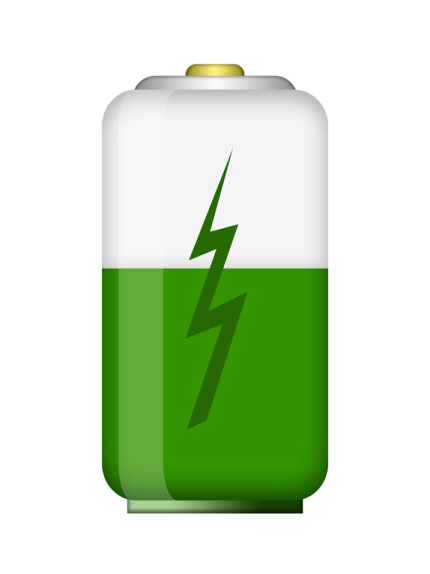
I've recently made two changes that have made me surprisingly more productive. The first was switching from my 17-inch MacBook Pro to a MacBook Air. The second was switching to a newer Mifi device to get to the Internet over the cellular network. The commonality between these two changes is they both replaced devices with batteries that normally lasted about 4 hours. The new Mifi and laptop can get 8 to 12 hours of life on a single charge. When I first bought the MacBook Air, I thought it would be marginally more useful because I wouldn't have to plug in the laptop as often. Had that been the case, it probably would have been a bit more useful, but not enough for me to really notice a … [Read more...] about Productivity and Battery Life
Refining Your Online Presence
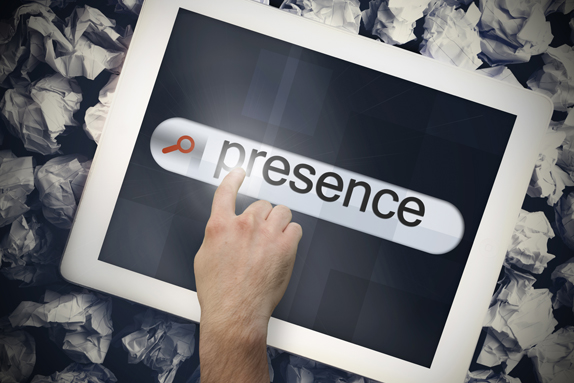
The results that show up when someone types your name into Google are becoming increasingly important for your career. It wasn't that long ago that it was rare for a potential employer to search for the name of a candidate. Now it is becoming rare for them NOT to do some type of search. In many cases, the first page of results for your name are going to be more important than what you put on your resume. It is easy to make a claim on your resume, but what Google says about you will often carry more weight because it isn't something under your direct control. However, just because it isn't under your direct control doesn't mean you can't influence what shows up in search results. Here … [Read more...] about Refining Your Online Presence
Lazy but Talented

While walking back to my hotel from a conference in St. Louis, I saw someone wearing a shirt that said "Lazy but Talented." I think it was a Nike shirt. I've always been impressed with Nike's advertising, but this slogan didn't ring true. In the US, we seem to be overly obsessed with talent as if it is the most important part of success. It isn't that talent is unimportant, but when it really comes down to what will make you successful, being hardworking is much more important. If you have tremendous natural skill, but aren't willing to work hard, it is easy to be eclipsed by someone with moderate talent but an extreme drive to succeed. Let me give you an example. Think of someone … [Read more...] about Lazy but Talented